From the land to the cup: the Café Pacundí redesign
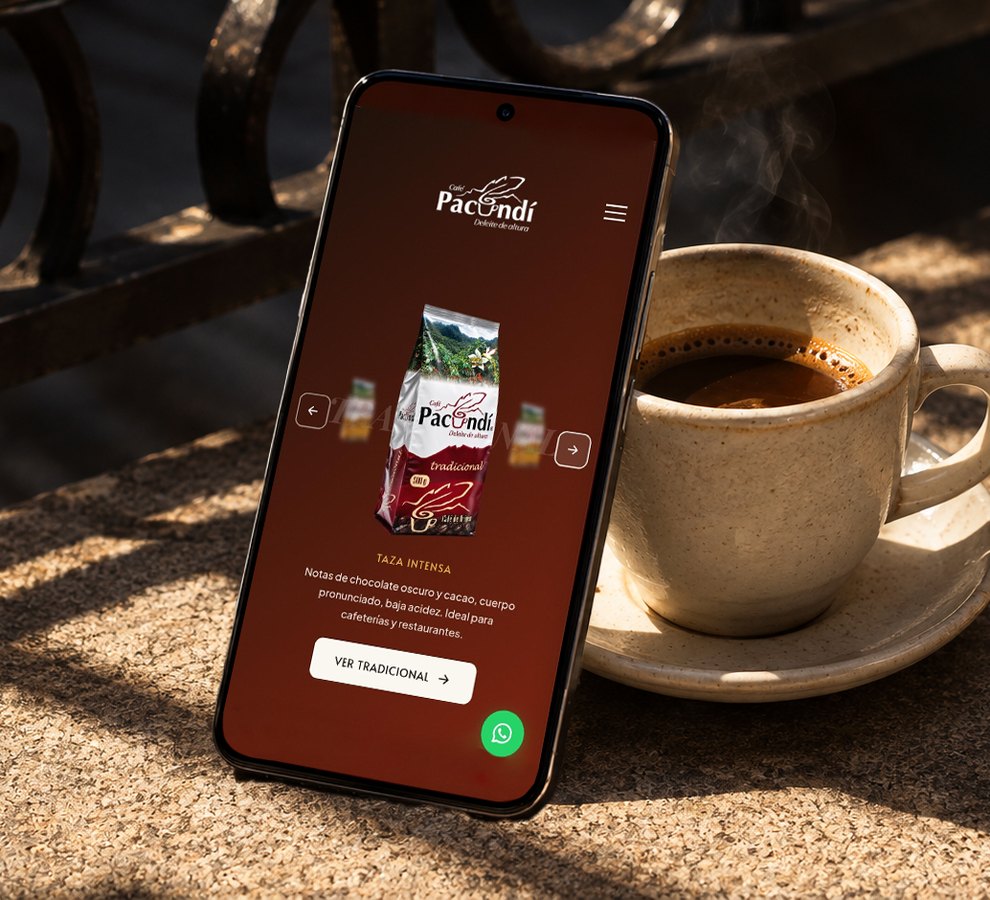
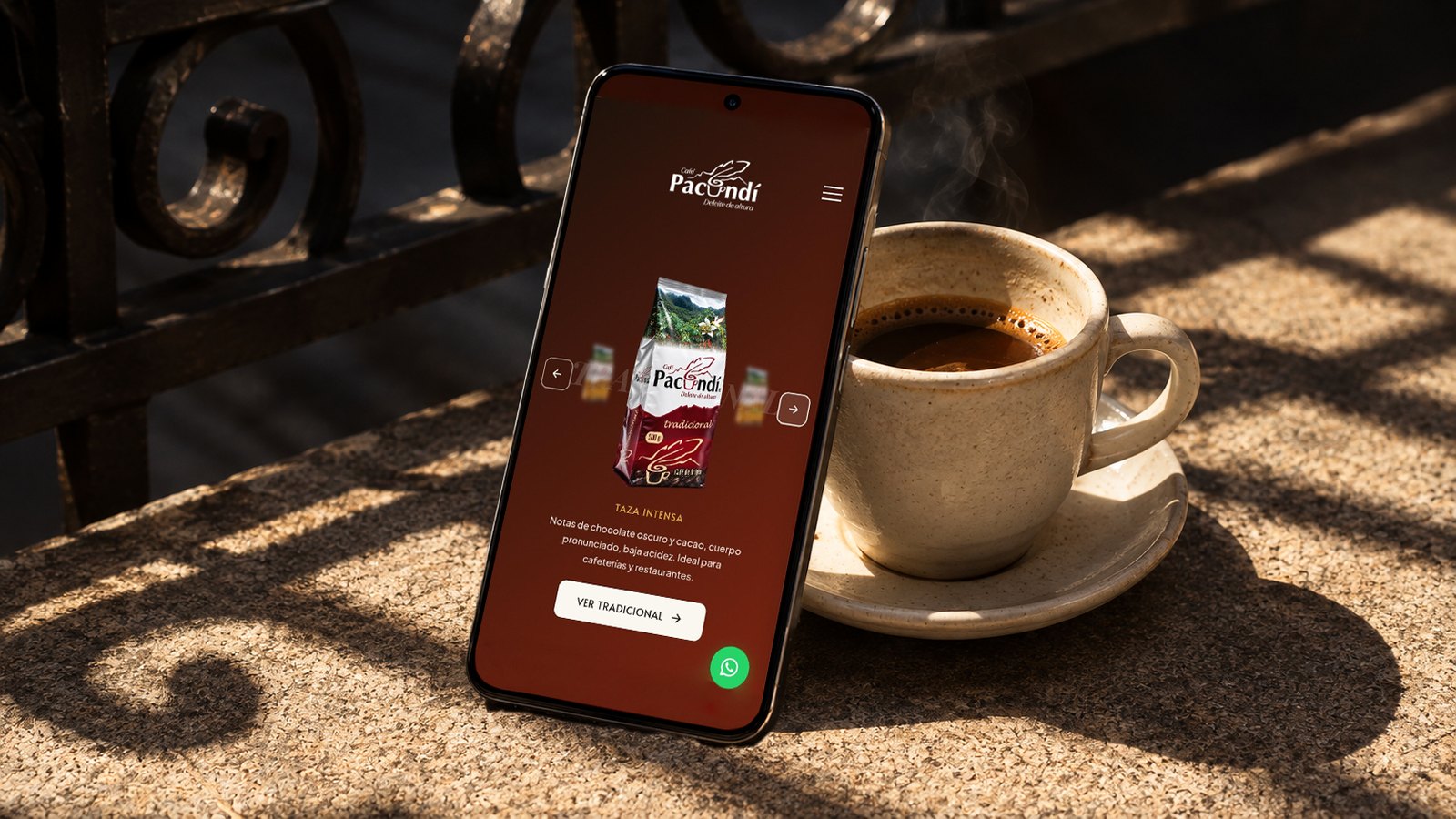
A single origin coffee from Pacho, Cundinamarca, with a site frozen in 2019. We brought it up to date, showed everything Pacundí is, joined digital and in store buying, and gave a voice to its social side.
Web redesign · UX/UI · 2026
Overview
I redesigned the Café Pacundí site end to end: from the UX audit to the site going live in September 2026, with a new 9 page architecture, its own design system and custom components on WordPress and free Elementor.
Café PacundíExcelso, Tradicional and Típica Silvestre
Agua PacundíFrom the 18.9 L jug to 600 ml, plus custom labeled water
Maquila B2BHulling, roasting, packaging and private label
FundamigosPartnership with an animal foundation in Pacho
The starting point
Behind Pacundí there are 15 years, 300 coffee growing families from the Río Negro and a town, Pacho. None of that showed on its website: a 2019 site that promised online shopping for a brand that sells through WhatsApp and in stores.
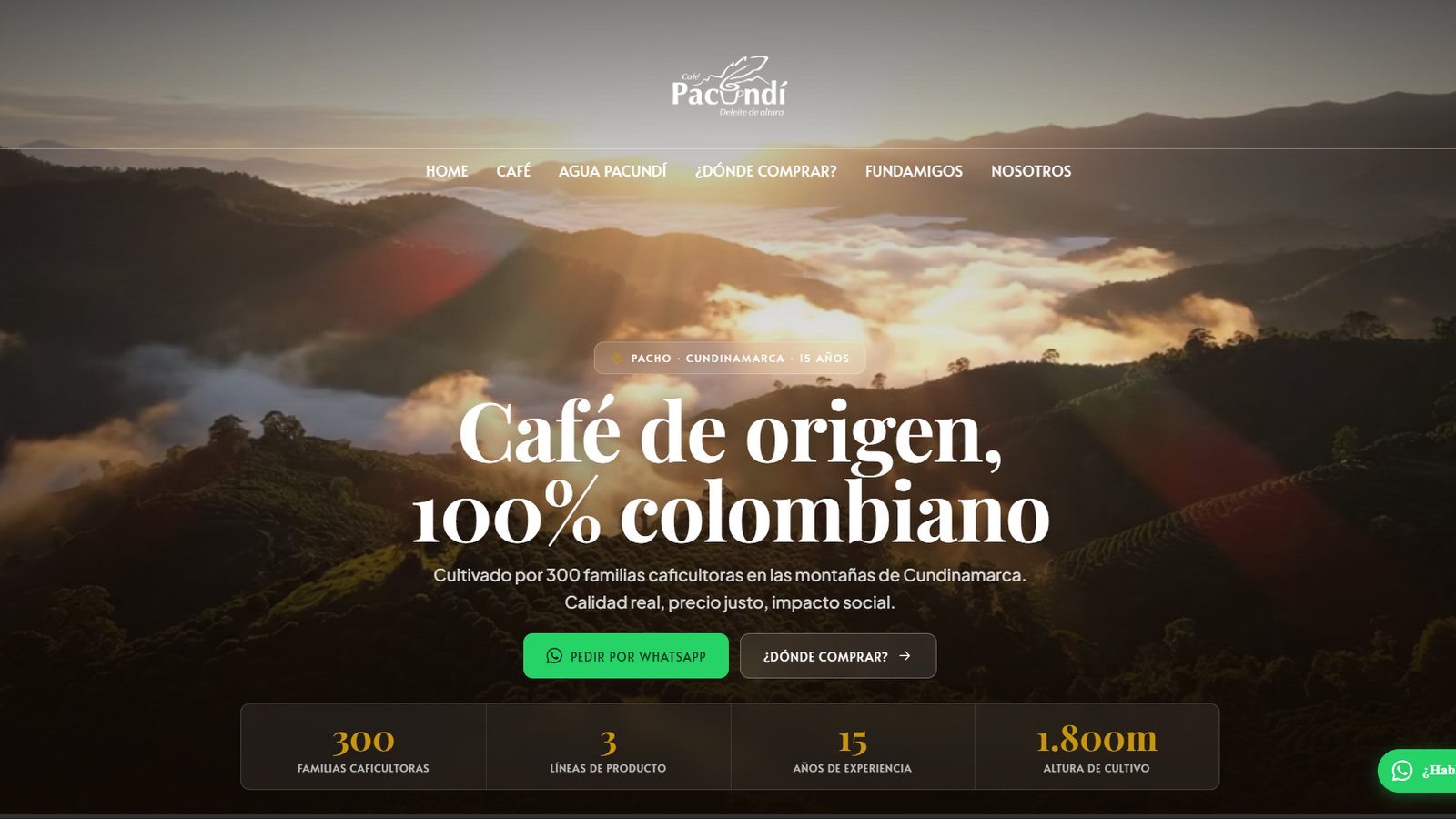
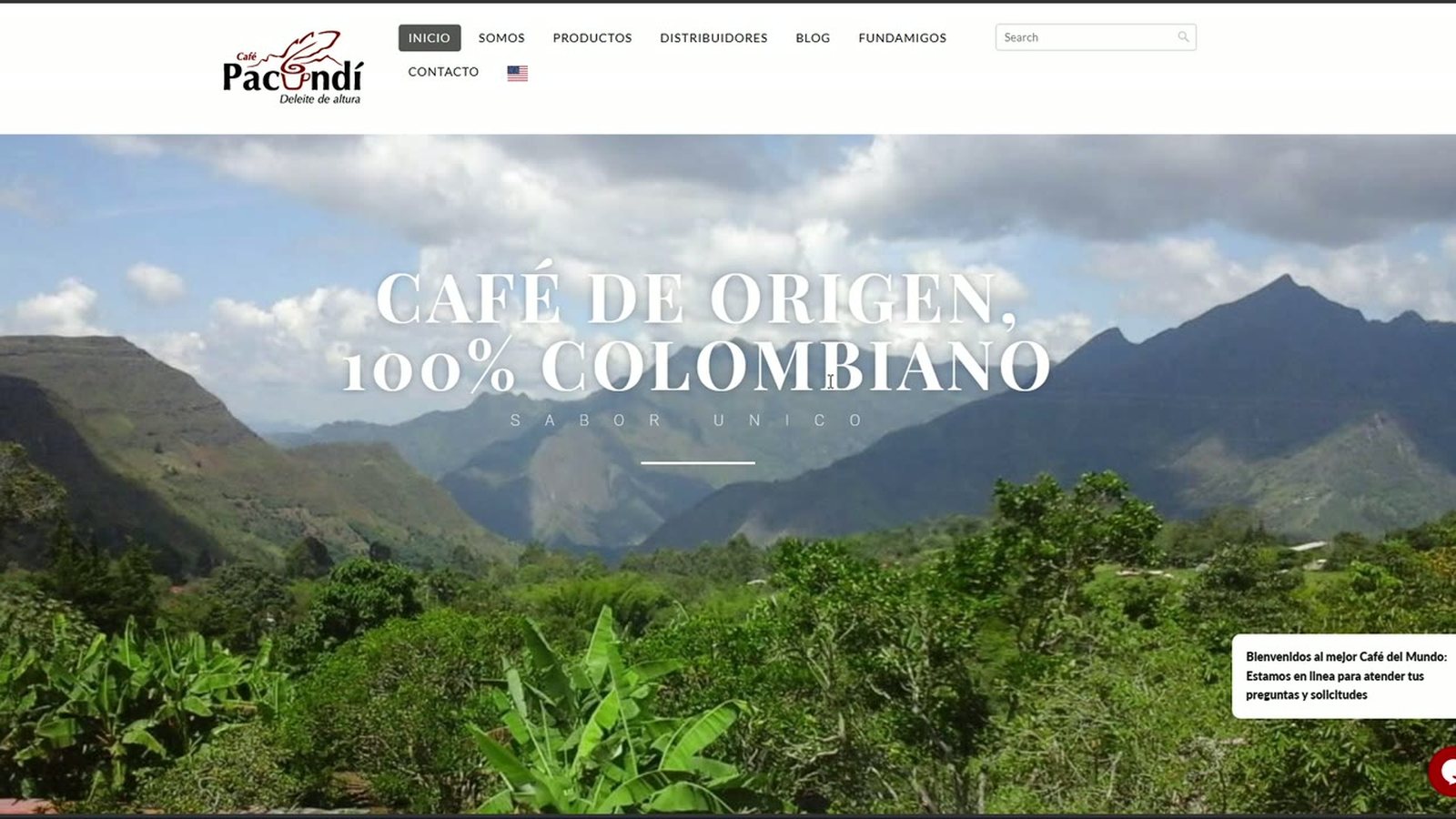
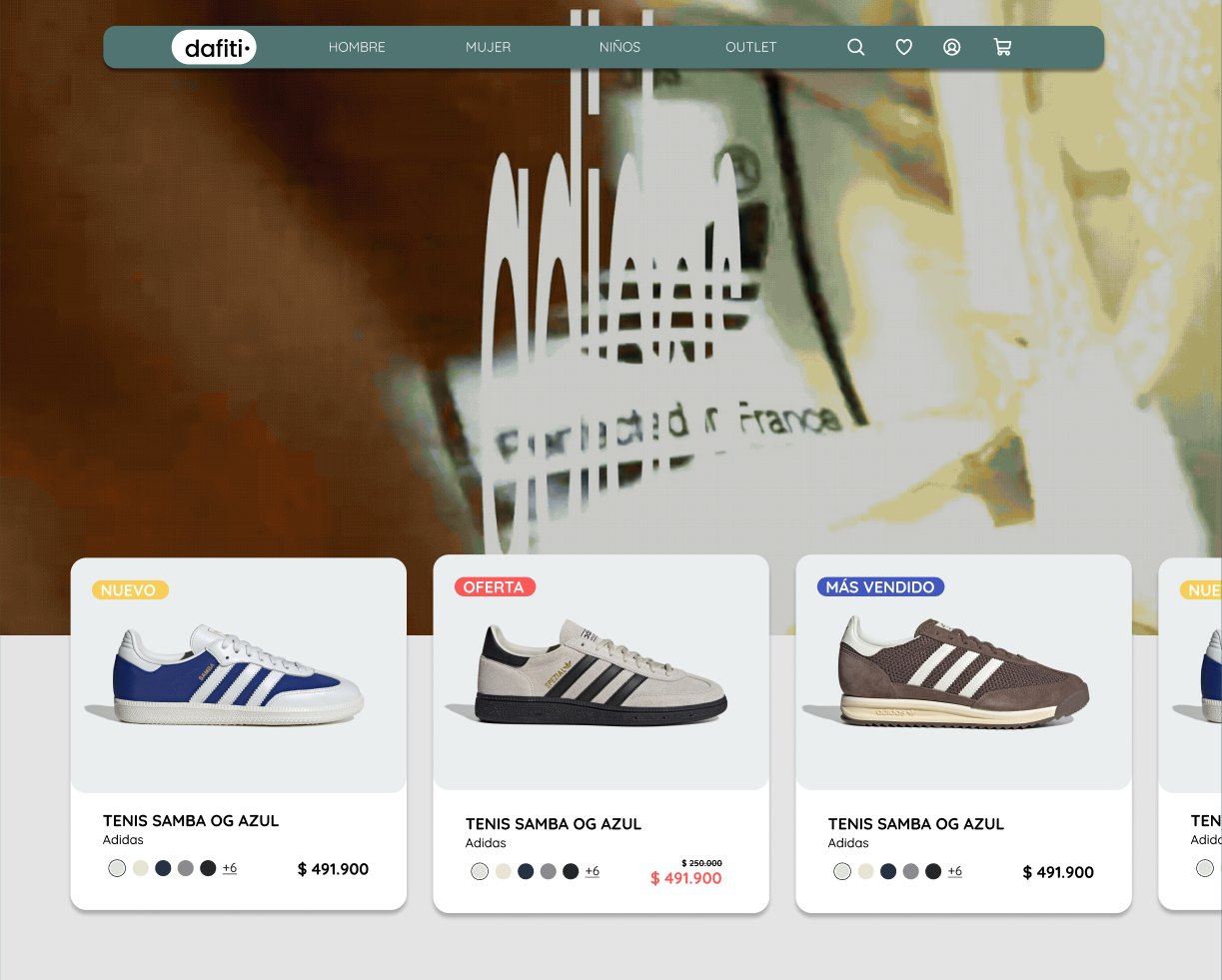
IMG 02b · New home page (2026)IMG 02 · Original home page (2019)20192026
300coffee growing families
15years in business
3business lines
1,800 mabove sea level
The finding that changed everything
The site was built as an online store, but Pacundí doesn't sell online: it sells in physical stores, with no delivery, and all its digital conversion happens on WhatsApp Business.
Research
A UX audit (15 findings, 4 critical) and a benchmark of four Colombian brands left five challenges.
15documented findings, delivered in a formal report and approved by the client
4335
CriticalHighMediumTechnical
Benchmarking
Four Colombian coffee brands, to see how they communicate origin, varieties and buying.
Café QuindíoCafé La BastillaCafé MatizCafé OMA
The five challenges
Ideation: one rule to organize everything
Nine pages with one rule: the menu leads to buying, to the land and to Fundamigos; the institutional content goes in the footer.
Main menu
Home
Coffee
Excelso
Tradicional
Típica Silvestre
Maquila
Agua Pacundí
Where to buy?
Fundamigos
Order now
01
Contact and distributors, a single page
For a brand with no delivery, “contact” and “where can I get it?” are the same intent.
02
Toll processing inside Coffee
It's a B2B service derived from coffee, not a separate line.
03
Nothing empty in the menu
With no information from the client, Jugos Pacundí and the blog were left out.
04
A single distributor block
Coffee pages and Where to buy? share the same component, not four copies.
Brand: the Pacundí design system
It should feel like opening a bag of freshly roasted coffee: warm, handcrafted, editorial. From six typefaces explored down to three, and a single shape rule: 10 px radius on everything, no exceptions.
Design system · Café Pacundí v1.0
Terracotta#98260BBrand, CTAs, emphasis
Gold#C8960CNumbers and accents
Dark coffee#1C1208Text and dark backgrounds
Cream#FAF6F0Base background
Water blue#2C5F6FAgua Pacundí only
Playfair Display · headingsDeleite de altura
Plus Jakarta Sans · bodyGrown by 300 coffee growing families in the mountains of Pacho, Cundinamarca.
Alata · buttons and labelsORDER ON WHATSAPP
1 pound = 500 real grams
Solution
Each component is a custom HTML/CSS/JS widget inside free Elementor: premium design control without paying for licenses. The white frames show the components exactly as they are published on cafepacundi.co; each one links to its live page.
1
Challenge 1 · Update the site
A site stuck in 2019
The problem. WordPress 5.2, PHP 7.4 and a header that fought with Elementor: anything new could break.
2019
2019 content
header.php that clashes with Elementor
Parent theme edited by hand
WordPress 5.2
PHP 7.4
2026
Content with real data
Elementor + custom widgets
Custom child theme
WordPress 7.0.2
PHP 8.1
Double backupsStagingNew header
What we did
We put the house in order without changing platforms: WordPress 7.0.2 and PHP 8.1, a custom child theme, double backups, staging, a new header and content with real data.
2
Challenge 2 · Show the product range
Three coffees that looked like one and a water nobody saw
The problem. The three coffees looked the same and Agua Pacundí didn't exist on the site.
What we did
Coffee and Water with their own place in the menu.
Variety slider and comparison table (carousel on mobile).
Típica Silvestre with a single button: “Order by request”.
“1 pound = 500 real grams” as a seal of honesty.
Agua Pacundí with its own page, sizes (18.9 L, 6.5 L, 5 L, 3 L, 600 ml), a block for businesses and its own color: water blue.
Previous site · Products2019
Before: a generic slider where the three bags looked the same
Our Origin tab: tapping a town in the Río Negro Basin highlights it on the map and changes its card
Even the palette speaks of the land: terracotta like soil and coffee cherry, cream instead of clinical white.
4
Challenge 4 · Join digital and physical
WhatsApp or the corner store
The problem. Pacundí sells through WhatsApp and in stores, but the site looked like an online store and didn't say where to buy.
Visitor
Digital pathFloating button, “Order now” in the header and prefilled messages for each product
Physical pathWhere to buy? with a map, city filters and cards
Purchase
P
Café PacundíWhatsApp Business
Prefilled message from the product button
Hi, I'd like information to buy Agua Pacundí
What we did
Two paths, always one click away. The map of cafés, supermarkets and partner stores appears in Where to buy? and on every coffee page, right where the user decides.
Where to buy?: 26 points of sale; when filtering by type or city, the map zooms in on the points and the cards change
5
Challenge 5 · The social side
The social heart: Fundamigos
The problem. The partnership with this animal foundation in Pacho (around 140 animals) was hidden and could sound like a percentage of sales that doesn't exist.
What we don't say
A percentage of every sale goes to Fundamigos
What we do say
PartnershipVisibilityDirect support
What we did
Fundamigos moves up to the main menu, with its own page, a “Who they are” block, a donation component and a presence on the home page. All with an honest narrative.
The Fundamigos hero, on desktop and mobile
DesktopStacked photos that rotate between adoption and rescueMobileThe same carousel adapted to mobile
Direct donation to the foundation: each detail copies with a tap and confirms with “Copied!”
Results
Since September 2026 the site is live, complete and working.
1 · Update
A modern, secure platform with no new costs
2 · Product range
Coffees you can compare at a glance; Water with its own identity
3 · Origin
Pacho and the Río Negro as the thread of the site
4 · Digital + physical
Always two ways out: WhatsApp or a nearby store
5 · Social
Fundamigos visible and told honestly
What I take away
Design for the real business.The site promised to sell online; everything changed when I designed for WhatsApp and the stores.
The land sells.Origin is what sets Pacundí apart.
The social side is told honestly.It builds more trust than inflating the contribution.
Reuse before duplicating.A single map of points of sale, right where the user decides.
Microinteraction gallery
Some details of the live site, recorded exactly as they behave on desktop and mobile.
Coffee · MobileVariety selector with its color on mobileCoffee · VarietiesCarousel of the three lines with the active card in frontFundamigos · Who they areThe cards lift when you hover
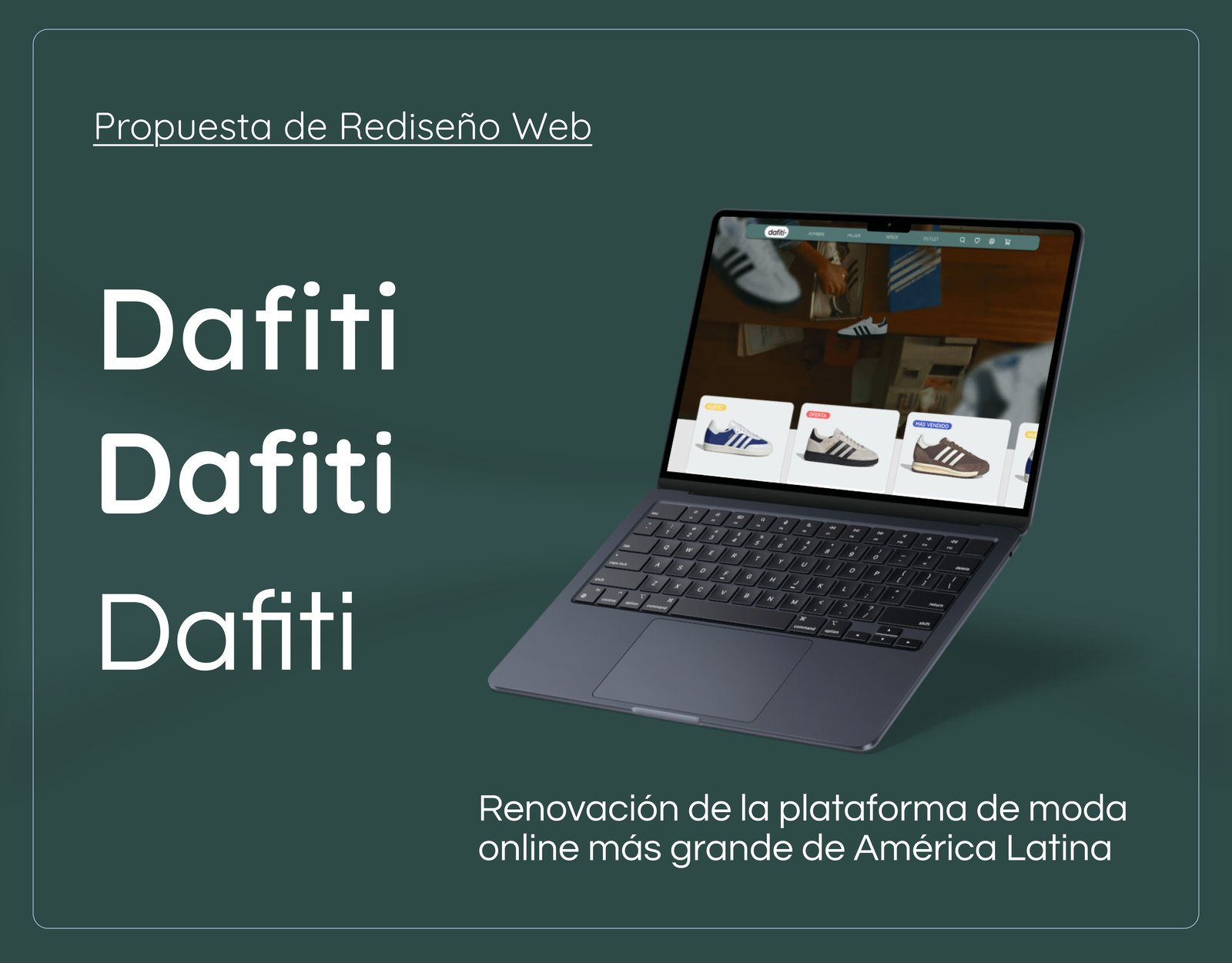
Less wandering, more fashion: a UX/UI redesign of Dafiti
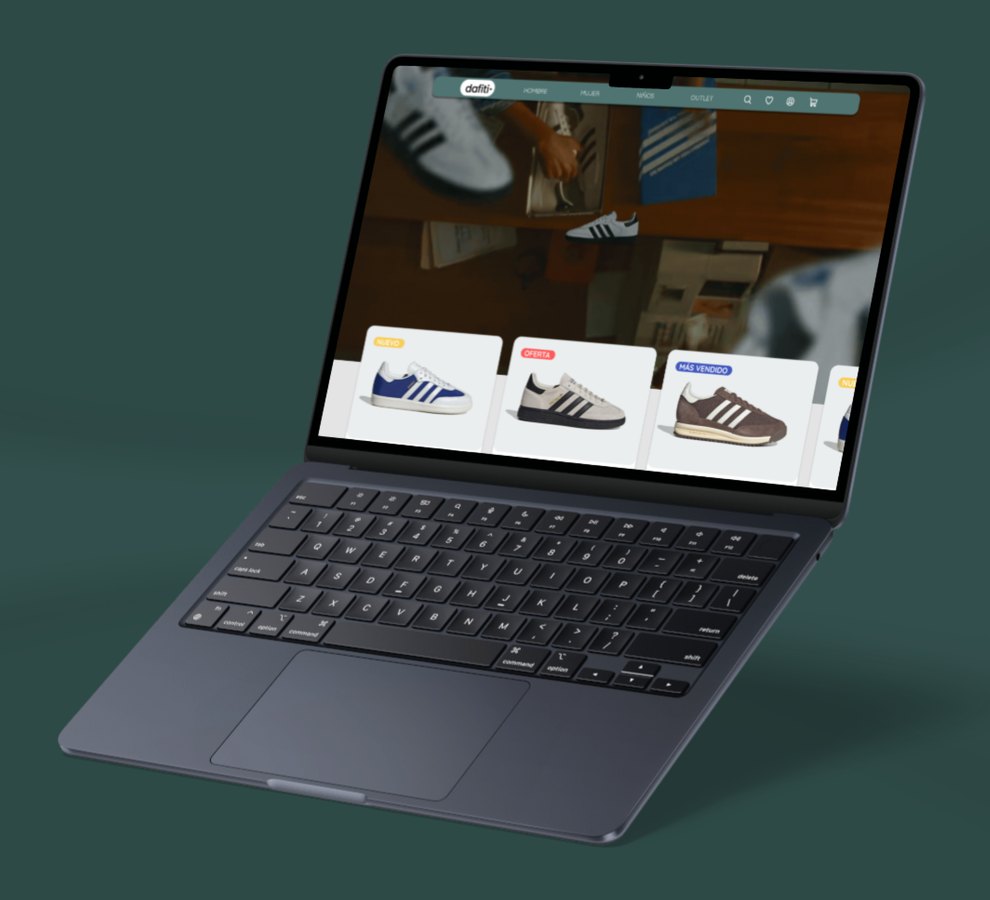
The largest online fashion platform in Latin America had confusing filters, unclear sizes and a cart that raised doubts. I listened to 22 shoppers, tested the navigation and turned the findings into a prototype validated with users.
UX/UI · Fashion retail · 2025
Overview
I redesigned the Dafiti web shopping experience end to end: research with real users, information architecture, its own design system and a high fidelity prototype in Figma that went through two versions thanks to usability testing.
Academic project Developed in the Advanced UX/UI Design course at CoderHouse. It wasn't commissioned by Dafiti.
Context
Advanced UX/UI Design · CoderHouse
My role
Product Designer UX/UI
Timeline
August to November 2025
Deliverable
Clickable prototype in Figma (V1 and V2)
22people answered the survey
10tree testing participants
3moderated tests with the prototype
2prototype versions, V1 and V2
What Dafiti is
An online store for fashion, footwear and accessories for men, women and kids, with search filters, several payment methods, shipping and returns. Its experience is built to turn visits into sales.
100.000active products
700partner brands
AutoStorethe largest in the world
Distribution centerlargest fashion platform in Latin America
01 · The starting point
A huge catalog, hard to get around
Three pain points came up in user testing. All three stop the purchase right when the person already wants to buy.
Clarity when buyingPeople need to confirm their actions, like removing a product or completing the purchase, so they aren't left with doubts.
Faster navigationFilters and search aren't efficient, so finding a product takes longer than it should.
Less cart abandonmentA more visible and simpler checkout helps people finish the purchase without friction.
The problem, in one sentence
Searching, filtering and reviewing the cart is confusing. That leads people to abandon products and lowers conversion, especially among young users who shop through digital channels.
02 · Research
Three methods, one question
Where do people get lost when buying fashion online? I answered it by comparing competitors, surveying shoppers and measuring navigation with tree testing.
Desk research: how competitors solve it
Criterion
Zara
Éxito Moda
Mercado Libre
Visual aesthetics
Very elegant, editorial style, but not very intuitive
Functional, tied to traditional retail
Modern, clean and friendly, with an up to date UI
Ease of navigation
LowNo clear guidance, confusing menus
MediumLong but accessible menu
HighSimplified navigation, menus by category
Filters and search
Limited or hard to see
Present, but not very efficient
Automatic, visible and combinable
Product information
Image focused, few technical details
Adequate, with clear physical representations
Rich descriptions, size guides and reviews
Trust in the process
Attractive visuals but confusing, lacks feedback
Strong thanks to physical retail
Clear visual feedback: confirmations, errors
What I took away: Mercado Libre set the benchmark with automatic filters, complete product information and visible confirmations.
Shopper survey
22 people
15 questions
Google Forms, asynchronous
What they buy in stores like Dafiti
Footwear72,7 %
Casual wear13,6 %
Sportswear9,1 %
Accessories4,5 %
Did you find what you were looking for with the search?
Yes, easily61,9 %
Sort of, it was a bit hard28,6 %
I didn't find it9,5 %
16 to 24years old, the main age range
41 %buy once a year or less
55 %would buy from Dafiti again
55 %aren't happy with the size guides
“It's confusing to see the product's sizes and size guides.”
“Sometimes there should be more detail about materials and composition.”
“The size information isn't enough, especially for people who have no idea about measurements.”
What I took away: 72.7% buy footwear, and that's exactly where sizes hurt the most. 30% also felt that information about materials and durability was missing.
Tree testing: do people find the way?
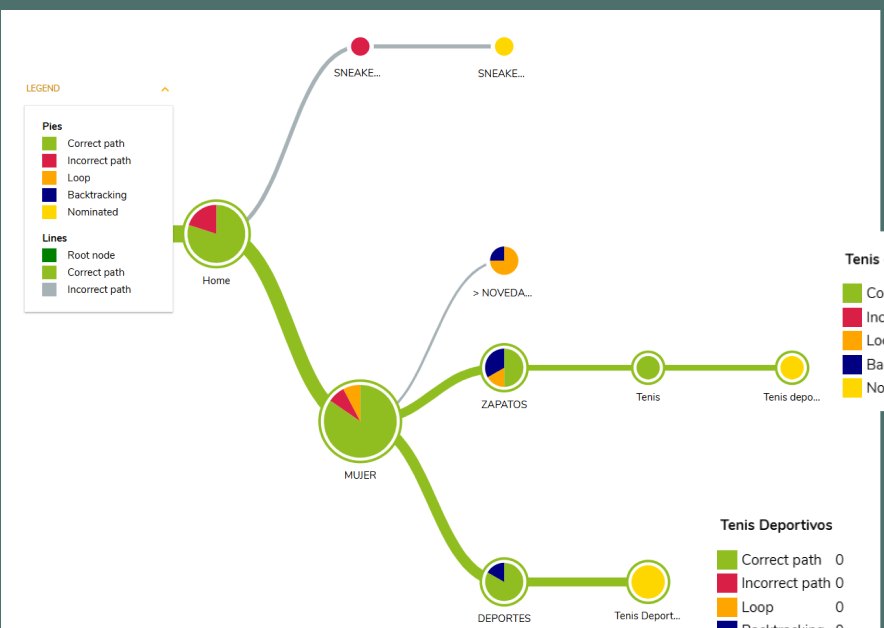
I tested the original architecture with two tasks. There are several valid routes to each option, so I measured which ones people use and where they go off track.
Task 1
“You're looking for sports sneakers for your mom. Where would you navigate?”
60 %20 %20 %
Ideal route, no detours
Got there, but took a detour
Didn't get there
80 %success
~24 saverage time
Those who failed ended up in Sneakers for her, which is everyday footwear, not sportswear. Some categories had ambiguous or repeated names.
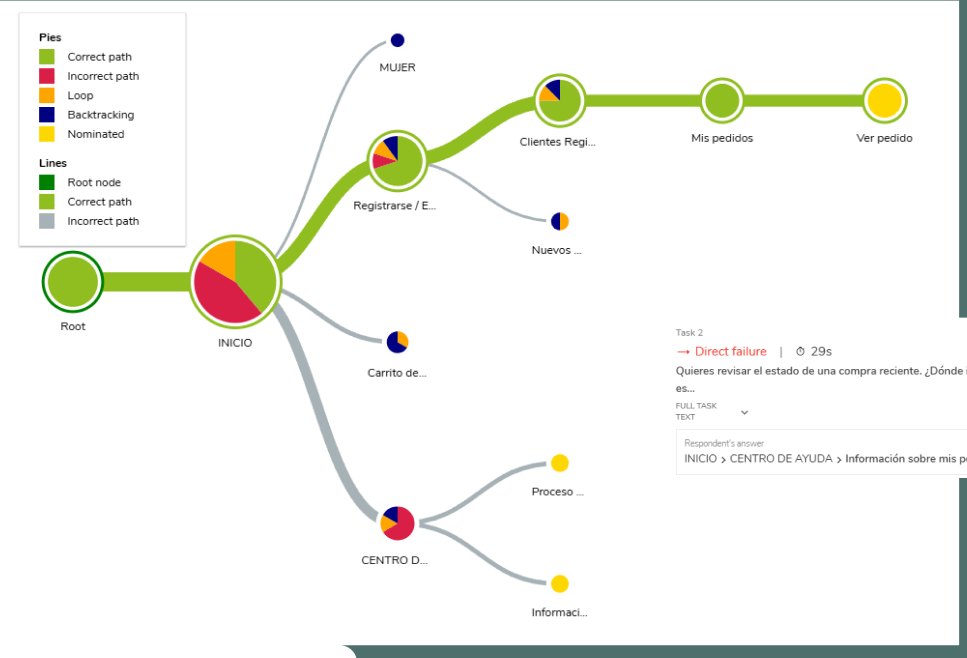
See the route diagramTask 2
“You want to check the status of a recent purchase. Where would you go?”
30 %30 %40 %
Ideal route, no detours
Got there, but took a detour
Didn't get there
60 %success
28 smedian
The ideal route required five levels: Home, Sign up, Registered customers, My orders and View order. 30% got stuck in the cart looking for their order.
See the route diagram
Insight
In the survey, 61.9% said they found what they were looking for. In the tree testing, 4 out of 10 didn't reach their order. What people believe and what they do don't always match.
03 · Who we designed for
Meet Laura
With the survey data I built a persona that sums up the typical shopper. This persona guided the redesign decisions.
Laura Rodríguez21 years old · University student · Colombia, urban areaOnline shopping experience: medium
Buys once or twice a year, mostly during sales. Prefers footwear because it's easier to choose by size and style. Browses on the phone, but pays on the computer if loading or validation fails.
Needs
To find things fast by color, size or price
A reliable size chart
To pay without friction from the phone
To track the order from the moment of purchase
Gets frustrated by
Filters that don't update the results properly
Little information about sizes and materials
Not knowing when the order will arrive
Wants
Trendy footwear at a good price
To receive exactly what the website showed
To buy without feeling lost
To buy again if the experience is clear and safe
Laura's journey buying sneakers
Eight steps, four stages. Tap each point to see what users said at that moment.
Entering the site
Search and filters
Product selection
Account and payments
PositiveNeutralNegative
Where the experience drops
The negative peaks are in the filters, the product page and order tracking. That's where the redesign focused.
04 · Definition
From finding to hypothesis
I organized everything in a Lean UX Canvas: what we believe, how we'll test it and what we expect to happen.
If
we reorganize the filters and the navigation hierarchy
then
users will find what they're looking for faster.
If
we improve the cart structure and add confirmation messages
then
abandonment will go down.
If
the size guide and product information are easier to see
then
users will feel more confident when buying.
Business goals we set
15 %more conversion in footwear purchases
20 %less cart abandonment
NPSmore satisfaction among mobile users
These are canvas goals, meant to be measured if the redesign were implemented. An academic prototype can't measure them.
FVD matrix: what to do first
I plotted each idea by how much users want it and how feasible it is. That's how the prototype's scope came out.
How much do users want it? →
Maybe
Apply filters automatically when selected
Redesign the cart with better spacing, hierarchy and confirmations
Remove the “Quick buy” button to avoid ambiguity
We'll do it!
Reorganize the visual hierarchy and the navigation of categories and filters
A cleaner home page, without so much visual noise
Separate the size guide and make it visible
Confirmation messages on specific actions
Not for now
Product reviews section
Maybe
Fixed access to filters from the header
Use the full width of the screen
How feasible is it? →
05 · Information architecture
Removing is designing too
I mapped the site's full tree and reorganized it with what the tree testing showed: fewer repeated sections and a direct shortcut for what was hardest to find.
154nodes in the original tree
139nodes in the new tree
15repeated nodes removed
Home
SneakersIt repeated what's already in Shoes
WomenWithout the New In branch
MenFans ⚽ moves to Sports
Outlet
Kids
Fans ⚽Moves inside Sports
Sign up / Log in
Women
MenSports includes Fans ⚽
Outlet
Track your orderNew shortcut, no need to log in first
Kids
Sign up / Log in
What I changed
I added the direct shortcut Track your order to save steps, just as the tree testing users asked.
I removed the sections that repeated information from others: Sneakers and New In.
I took out the brand subpages as a section: they already exist as a search filter.
I moved Fans ⚽ inside Sports.
I added reviews of purchases made by other users.
The path to “my order”
Before · 4 clicks
Home
Sign up / Log in
Registered customers
My orders
View order
After · 3 clicks
Home
Track your order
Registered customers
Order history
People who bought without an account can log in with their order number.
06 · Brand and design system
A voice and a system for the new Dafiti
Before drawing screens I defined why the brand exists and how it speaks. Then I built the design system in Figma, from atoms to components.
WhatHowWhy
Why
To transform the way people live and express their style, with accessible, inclusive and sustainable fashion that inspires trust.
How
An intuitive digital experience: clear navigation, quick checkout, fast shipping, easy returns and a curated variety for every style, size and budget.
What
The leading platform for fashion, footwear, accessories and beauty in Brazil and Colombia, with more than 700 brands and 100,000 products.
Voice matrix
Concept
Builds confidence with consistent, coherent messages.
Verbosity
Brief and precise, with no excess words.
Vocabulary
Words that build trust: “safe”, “guarantee”, “backing”.
Grammar
Short sentences in the first person plural: “We've received your order”, “We'll send you a notification”.
Punctuation
Few commas for shorter messages. Sometimes, an emoji in direct messages.
Capital letters
In proper names, brands and calls to action, without overdoing it.
Concept
Communicates directly, without ambiguity or embellishment.
Verbosity
Concise and to the point, without redundancy.
Vocabulary
Simple language: “easy”, “fast”, “clear”.
Grammar
Short sentences that invite or explain: “Track it from the Delivery details button”.
Punctuation
Precise, guides the reader without overloading the text.
Capital letters
Only in titles or key emphasis, never excessively.
Concept
Reflects the breadth and richness of the catalog of brands and products.
Verbosity
Dynamic, with emphasis on options and possibilities.
Vocabulary
Words of breadth: “variety”, “selection”, “for every style”.
Grammar
Inclusive, covers options and profiles.
Punctuation
Commas and connectors that convey breadth.
Capital letters
To highlight categories or brands, without excess.
The design system
Dafiti · Design System in Figma
Palette
Primary
Accents
Text
Highlights
Greens and blues convey trust and freshness. Oranges, reds and yellows guide attention to the key actions.
Typography · Quicksand
Hero 60Headline 36Headline 24Body 16 · Legible, with rounded shapes that add energy.META · LABEL 12
Components rebuilt from the Figma design system: hover over the card and the button, or open the payment dropdown. Icons adapted from Phosphor Icons, outlined with slightly rounded edges.
07 · Solution
From wireframe to prototype
First I solved the structure in low fidelity wireframes, focusing on the product view and sizes. Then I took that base to the clickable prototype in Figma with the design system applied.
Wireframe · product view and sizesLow fidelity
01
A fixed, clean header
Four main categories and access to search, favorites, account and cart always in view.
02
Cards that inform
New, Sale and Best seller tags, available colors and the discounted price in plain sight.
03
Sizes in plain sight
The size guide is separate and visible on the product page, not hidden in a link.
04
A cart without doubts
Separated products, clear hierarchy in each item and a confirmation before removing.
Dafiti · prototype V1 · HomeHigh fidelity
Prototype V1, the version I took to usability testing.
Demo reel of the redesign: the new interface in motion.
08 · Testing
I tested it with users before calling it done
I ran a remote moderated test with 3 users. I asked them to think out loud while solving the same two tasks from the tree testing, to see doubts, routes and extra clicks.
ParticipantTask 1 · sports sneakersTask 2 · order status
User 125 s12 s
User 218 s10 s
User 320 s11 s
Tree testing, original tree
Finding the order: 28 s median, and 4 out of 10 didn't get there.
Prototype V1, new tree
3 out of 3 found itbetween 10 and 12 s
These are different tests with small samples, so it isn't a lab comparison. Even so, the hardest task became the fastest.
PurchaseThe button to leave the shopping view should go in the top right corner.
PurchaseAt the end, the button said “Home” instead of “Complete purchase”.
PurchaseA view confirming the purchase was missing.
UIUnclear transparencies and hover states on text and on the shipping button.
Outcome
With these adjustments I built the final prototype V2, the one that opens this case: reordered navigation, visible sizes, confirmations in the cart and a direct shortcut to the order. See the prototype in Figma ↗
09 · Wrap up
What I take away
Measure what people do.The survey said search worked. The tree testing showed that 4 out of 10 couldn't find their order. Combining methods kept me from designing on an impression.
Removing is designing too.Taking out 15 repeated nodes and adding a single shortcut did more for navigation than any new screen.
Trust is in the details.Clear sizes, visible materials and a confirmation before deleting something are what make someone finish the purchase.
Test early, with little.Three moderated tests were enough to find specific errors and fix them before the final version.
Case study · UMNG Anatomy Museum
A museum that existed, but nobody knew about.
I led a team of eight people to turn a collection of real anatomical specimens, kept in an isolated room on the Cajicá campus, into a digital experience anyone can explore from their computer or phone.
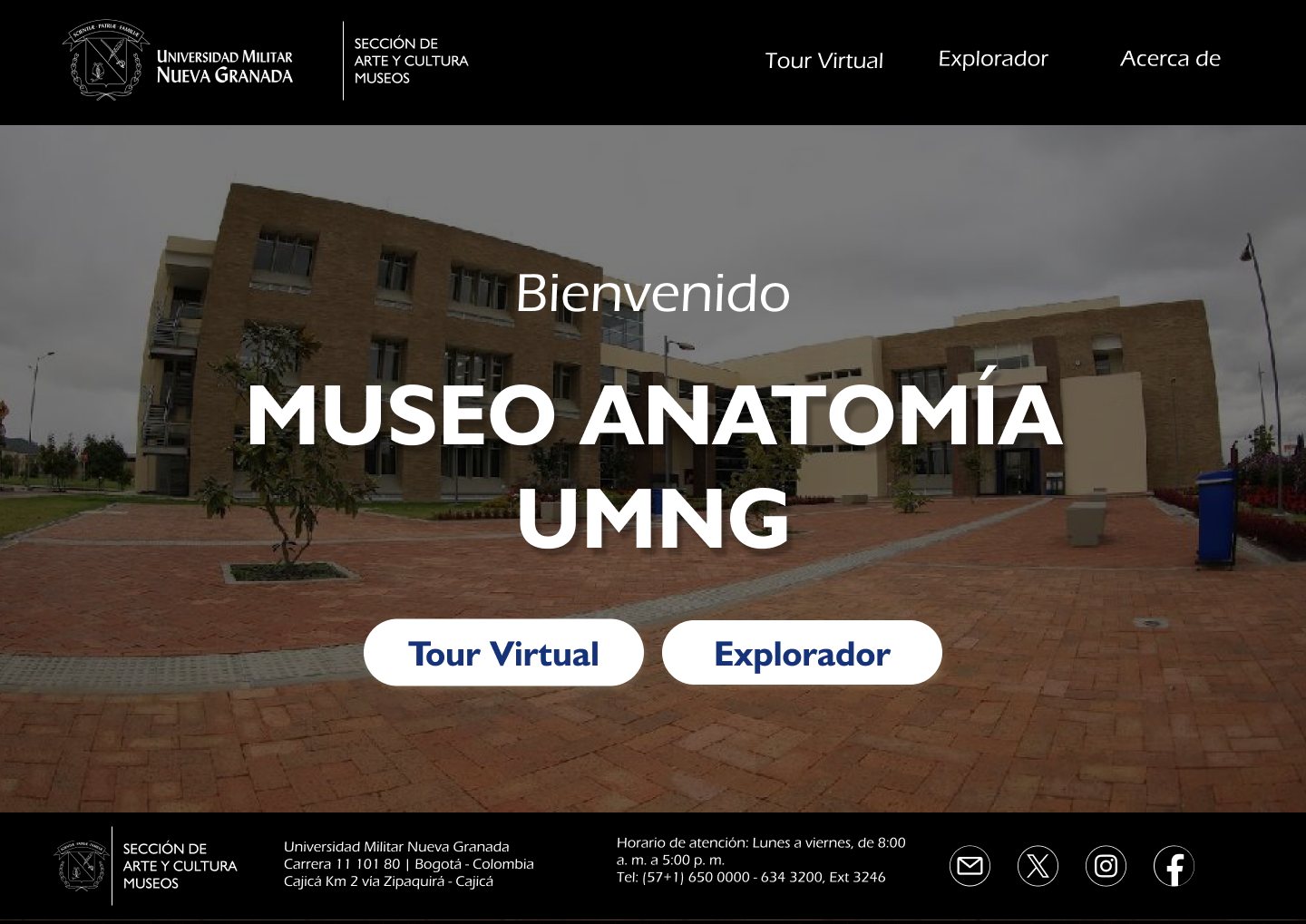
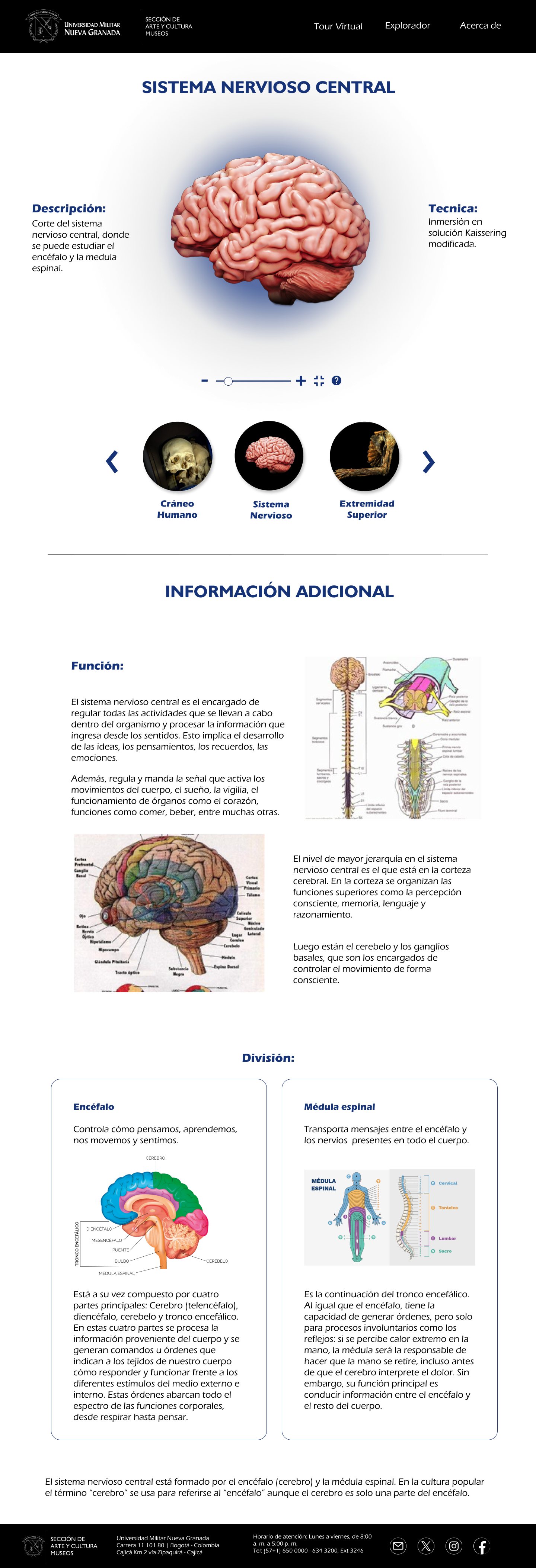
UMNG Anatomy Museum · HomeFigma
UX/UI · AR, VR and 3D · 2024
Overview
The Universidad Militar Nueva Granada holds a collection of real anatomical specimens with high scientific and educational value. The problem was that they lived in formaldehyde, in an isolated room on the Cajicá campus, and most of the university community didn't even know the museum existed.
The Museums Division gave us a concrete challenge: give that collection visibility. I led a team of eight people to turn the museum into a digital experience anyone could explore from their computer or phone.
Academic project with a real client Multimedia Engineering, Multimedia Integration course: 3D Applications.
Client
Museums Division, UMNG
My role
Project director · UX/UI designer
Duration
15 weeks, February to May 2024
Status
Prototype delivered, transitioning to production
Tools
FigmaUnityNeedle EngineThree.jsReactMaya
01 · The problem
The collection didn't lack value, it lacked reach
Analyzing the situation with the client, we found the museum faced three barriers.
Limited accessIt was in Cajicá, out of reach for a large part of the community.
Almost no promotionThe outreach budget was practically zero.
Static contentThe experience depended entirely on being in the room.
02 · Who we designed for
Two profiles, the same barriers
We defined two archetypes with the team and the client.
17 to 30 years old
Students
Driven by curiosity about the human body.
35 to 60 years old
Staff
With little time available and little familiarity with 3D experiences.
What they shared
Not being able to travel to Cajicá
Depending on their device or connection
In some cases, aversion to the idea of seeing real cadaveric specimens
The opportunity
The digital format lets people get close to the specimens with a distance the physical room doesn't offer.
03 · Strategy
Two ways to visit a museum
After reviewing references like the Heidelberg Anatomy Museum and the Visible Human project, we structured the experience into two complementary paths.
For those who want to study
Each specimen is shown on its own, with its interactive 3D model and detailed anatomical information.
For those who want to live the visit
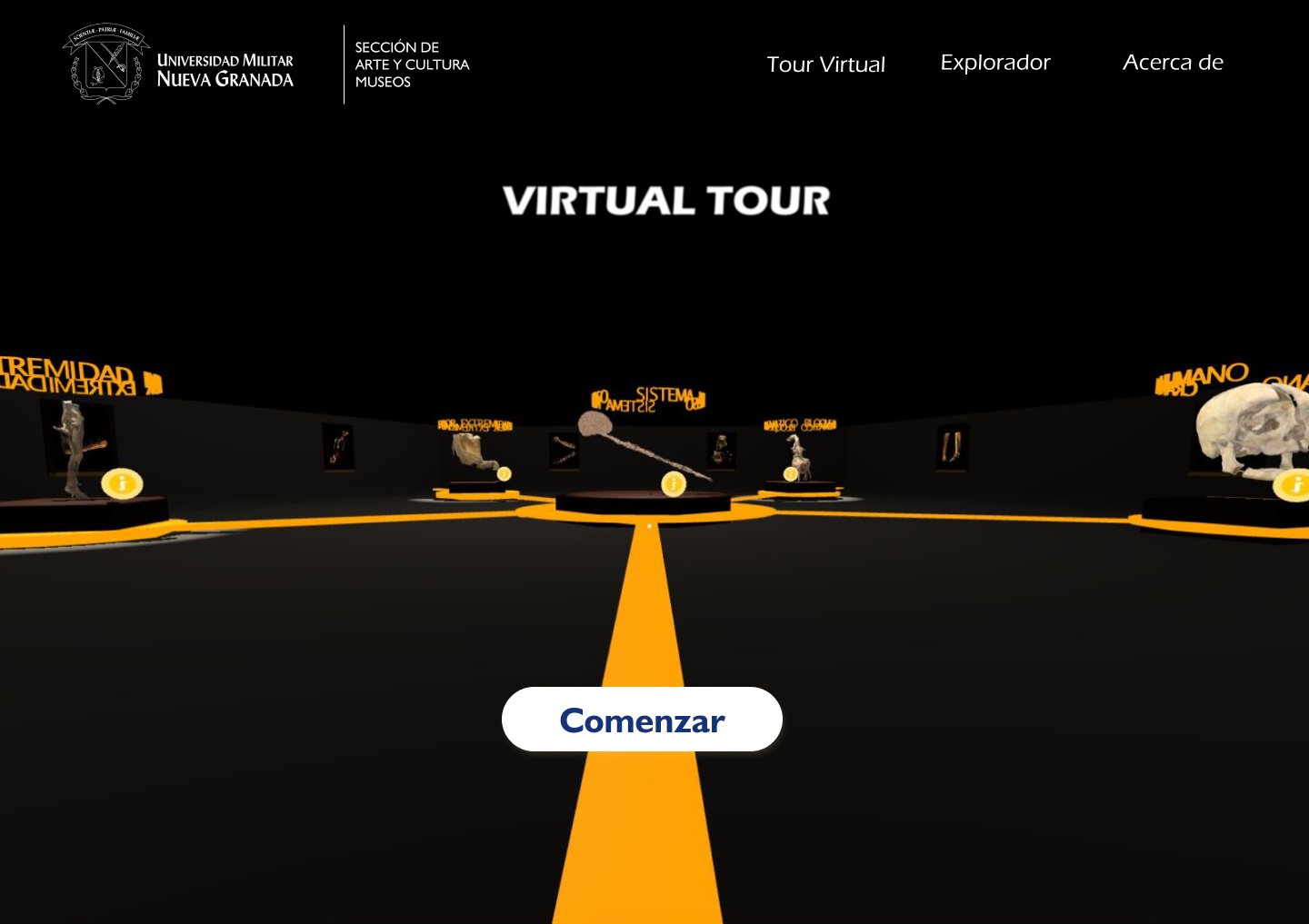
A navigable 3D space, like a video game, that recreates the museum room.
A cyclical narrative of five specimens
I designed the map of the space: a hexagonal room where each specimen has its own display point and a clear visiting order.
Brain
Skull
Diaphragmatic block
Upper limb
Lower limb
Diagram of the visiting order.
04 · Interface design
The specimen is always the protagonist
That was the client's main requirement. I built the visual system on UMNG's institutional identity, deep blue with yellow accents, and designed every screen so the interface would get out of the way.
Home
A direct entry with a photo of the campus and only two decisions: Virtual Tour or Explorer. From the first second, users choose how they want to experience the museum.
Gallery
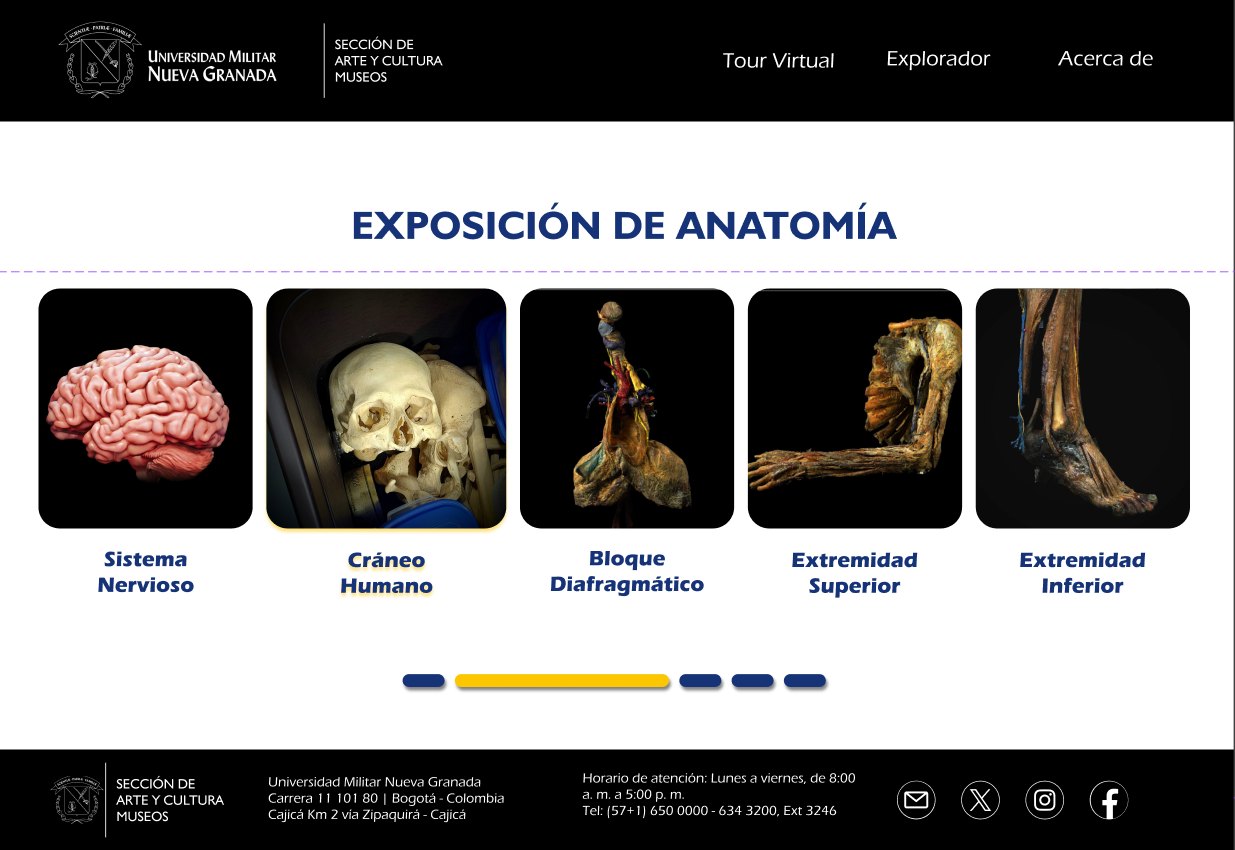
The exhibition is presented as a carousel of the five specimens, so you can see at a glance what the museum holds before going deeper into one.
Detail view: a digital display case
Each specimen floats on a blue halo that isolates it from the white background, as if it were lit inside a display case. Scroll the screen inside the frame or tap each point.
Explorer · Central nervous systemDesktop
Display case haloThe specimen floats on a blue halo that separates it from the background.
Description and techniqueOn the sides, the description and the preservation technique.
Minimal controlsZoom with a slider, full screen and a help button for anyone who has never handled a 3D model.
Specimen carouselJump to neighboring specimens without going back.
Layered informationFirst the general function, in alternating blocks of text and illustration.
Breakdown of the specimenCards like brain and spinal cord, and a closing fact at the end.
Those who are just curious don't get overwhelmed, and those who study find depth.
About
The page presents the university's system of collections. I explored several versions of cards that expand to reveal the subcollections of each one, so the Anatomy Museum is understood as part of a broader heritage.
Responsive
The detail view was designed for desktop, tablet and mobile. On small screens the information reorganizes into a single column and the navigation moves into a dropdown menu.
Desktop
Both frames scroll together so you can compare how the same information reorganizes.
05 · Virtual tour
A yellow dot for every specimen
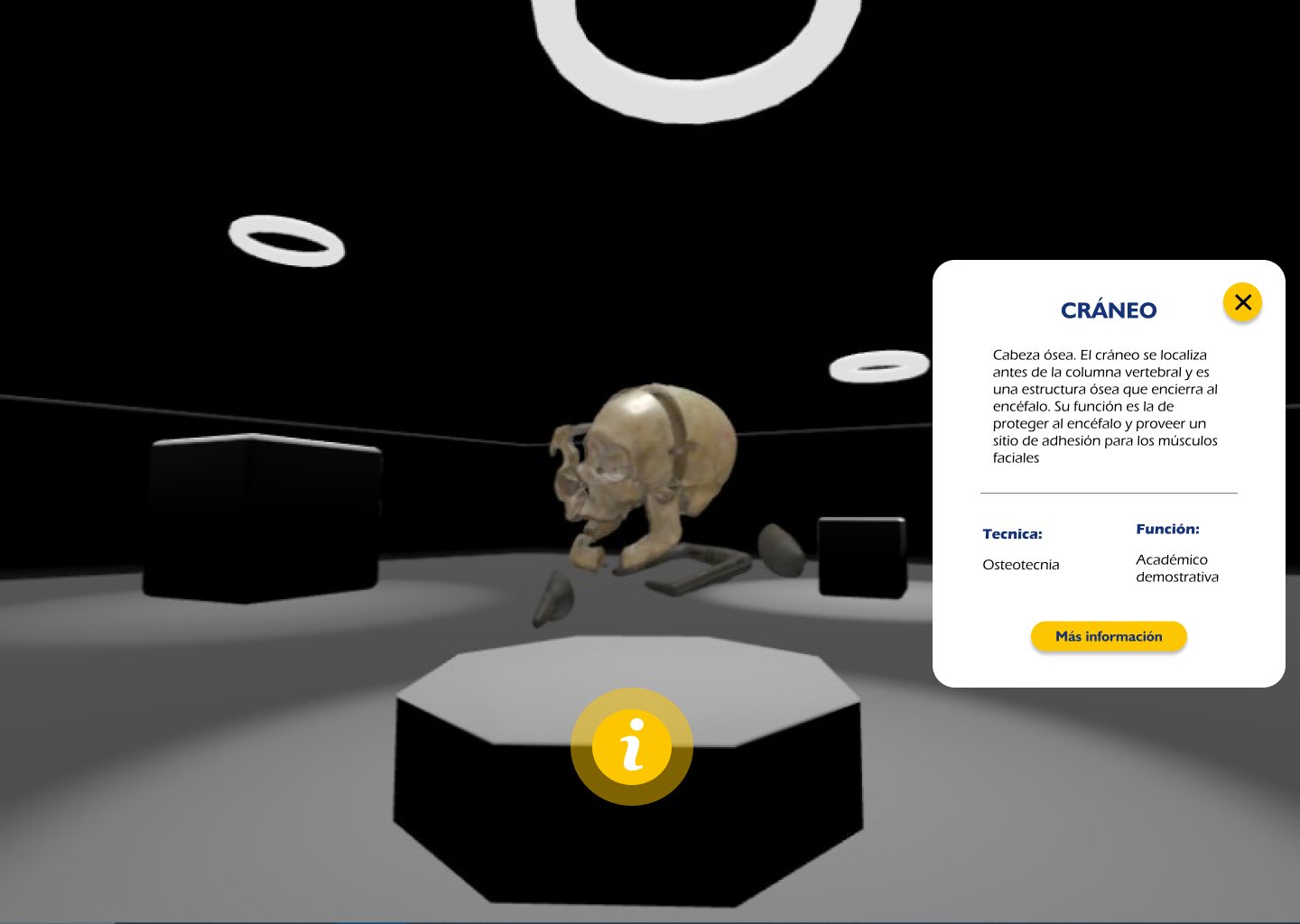
Each specimen in the 3D space has a yellow information point that opens a card with its name, description, function and technique. I built it as a reusable component for all five specimens.
Virtual tour · SkullDesktop
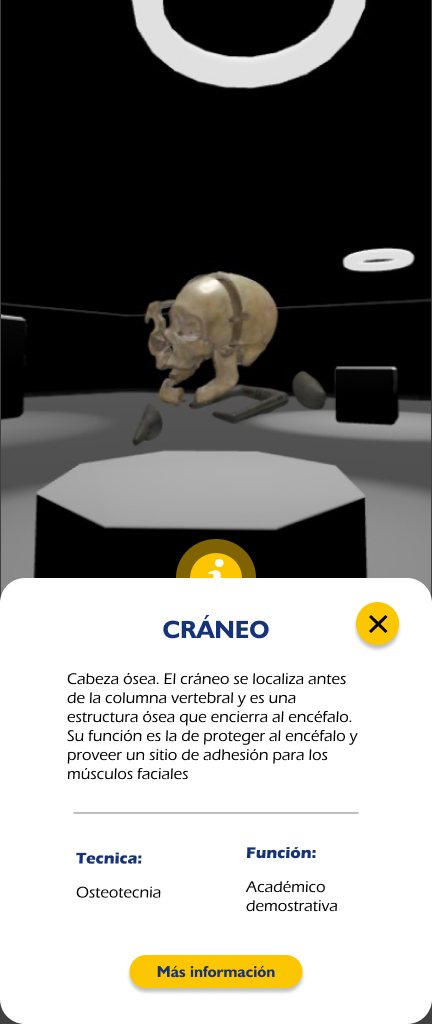
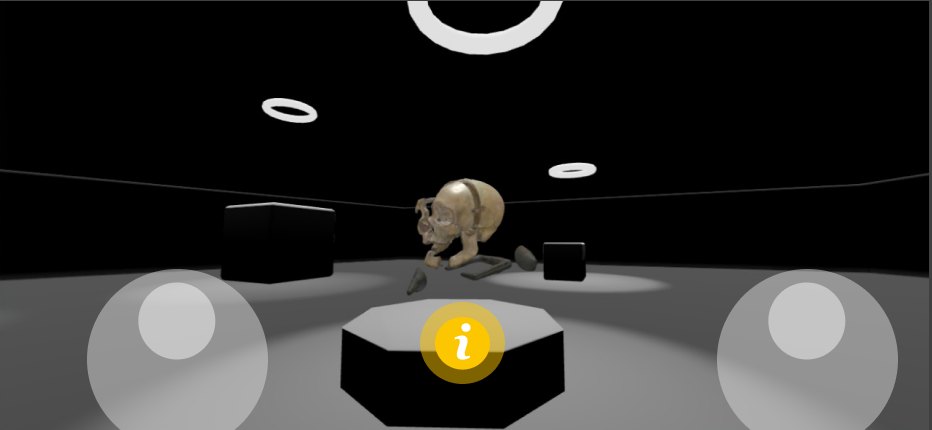
Two modes on mobile
In portrait, the card slides up as a bottom sheet and leaves the specimen visible above.
In landscape, navigation switches to two touch joysticks: one to move and one to look around.
06 · Behind the interfaces
Designing 3D for the web is designing for performance
The specimens were digitized with a laser photogrammetry scanner, but the resulting models had too many polygons to load in a browser.
ScanningLaser photogrammetry
Cleanupof the mesh
Rescalingto web size
Triangulationlightweight, without losing fidelity
Browserready to load
Exception
The specimens preserved in jars of liquid couldn't be scanned, because the liquid distorted the capture. In those cases we decided to model them from scratch.
The tour went through a similar process in Needle Engine so it would run smoothly on everyday devices.
2K texturesSimplified shadowsBaked lightmaps
07 · Validation
Two rounds of user testing
The clearest finding was that the experience was noticeably smoother on desktop than on mobile. That shaped the optimization and interface adjustments for small screens.
Desktop
Smoother experience
Mobile
Less smooth: this is where the optimization and interface adjustments focused.
08 · Outcome
A prototype ready to move into production
We delivered to the university a working prototype, with the page and the tour as a demo, along with the complete interface system in Figma. The architecture was designed so the museum can keep adding specimens to its digital collection.
5digitized specimens
2experience paths
2testing rounds
7people on the team
09 · Wrap up
What I take away
01
Leading a collaborative team
I was the leader of a team of eight people. Coordinating everyone's work and keeping a shared vision of the project was as important as designing.
02
Looking for new tools
The 3D models were made with a scanner and photogrammetry techniques. Finding and learning the right tool was part of the project.
03
Prototyping for an institutional client
Designing for the university called for clear prototypes, able to show and validate every decision with the institution.
Collection · Motion graphics and video
Ideas that move: motion graphics and video
Pieces animated in After Effects and Illustrator to present products, communicate on social media and tell my own brand.
After EffectsIllustrator2025
01 · Digital product
Demo reel of the Dafiti project
Demo video of the Dafiti web redesign: it highlights the visual identity, strengthens the brand's user experience and shows the new interface.
Short animated formats, designed mainly in After Effects, that use motion graphics to communicate messages in a dynamic, visual and effective way on social media.
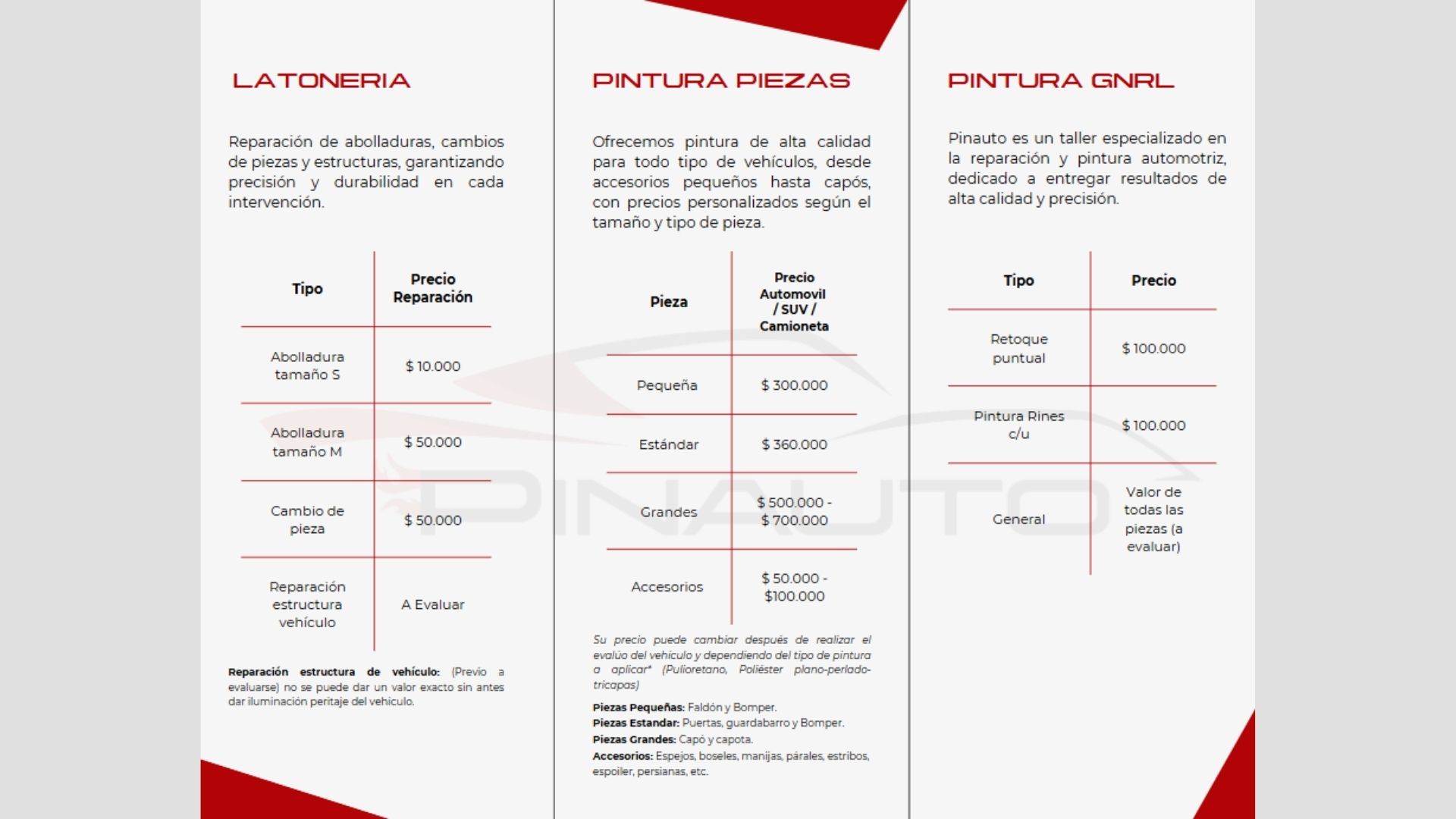
Pinauto is a body and paint shop in Zipaquirá. Its image didn't live up to its work. I designed a new identity, the brand manual, the stationery, the services brochure and the visual line for its social media.
Branding · Automotive paint · 2024
Overview
I redesigned Pinauto's identity from start to finish: a new logo, its brand manual, the stationery, the shop's uniforms, a brochure with its services and the pieces for Instagram and TikTok.
From academic to real It started as an academic project and ended with Pinauto as a real client.
Client
Pinauto, automotive paint shop (real client)
Location
Portachuelo, Zipaquirá
Year
2024
Deliverables
Brand manual, stationery and social media
What Pinauto does
It repairs car bodies, applies high quality automotive paint and does polishing and ceramic coating treatments. It serves customers in Zipaquirá and the region.
BodyworkPaintPolishingCeramic coatingRestoration
01 · The starting point
A good shop with a scattered image
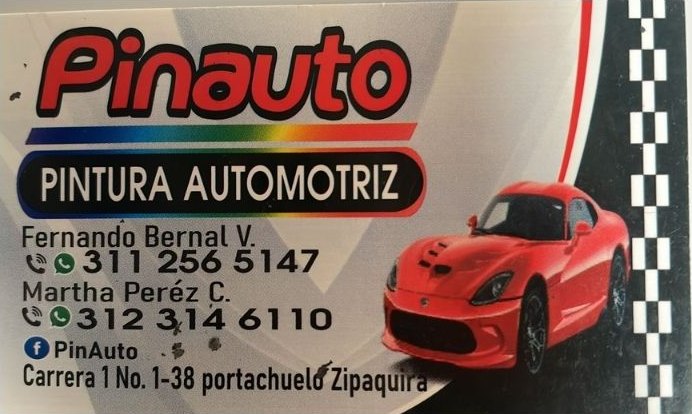
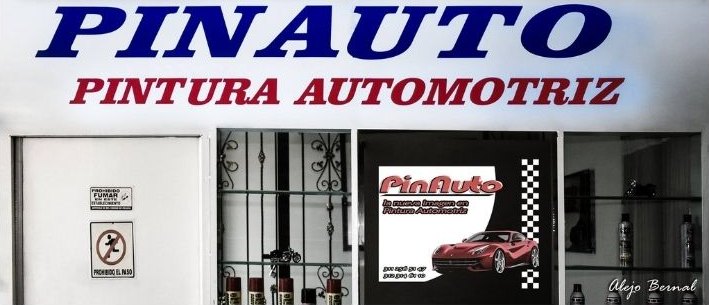
The previous brand used a logo in cursive lettering and a photo of a red sports car on the business card, and another logo in blue on the shop sign. Each piece spoke differently.
Before · Business cardBefore · Shop sign
Pinauto needed a new identity to:
Strengthen its positioning in a competitive market.
Gain visibility and attract new customers.
Align its image with its values: quality, professionalism and trust.
Communicate its services clearly.
The challenge, in one sentence
For the brand to convey the same quality and trust the shop delivers on every vehicle.
02 · Who it's for
Juan, the owner who looks after every detail of the car
The buyer persona guided the tone of the brand and the pieces: someone with little time, who wants a flawless finish and distrusts informal shops.
JR
Juan Rodríguez35 to 50 years old · Business owner or independent professional
Interests
Keeping the vehicle in excellent condition, trusting quality shops and finding a good balance between price and professionalism.
Motivations
Saving time and guaranteeing a flawless finish on every repair.
Frustrations
Unprofessional shops, low quality results and little clarity about prices and services.
03 · Identity
A sports car in a single stroke
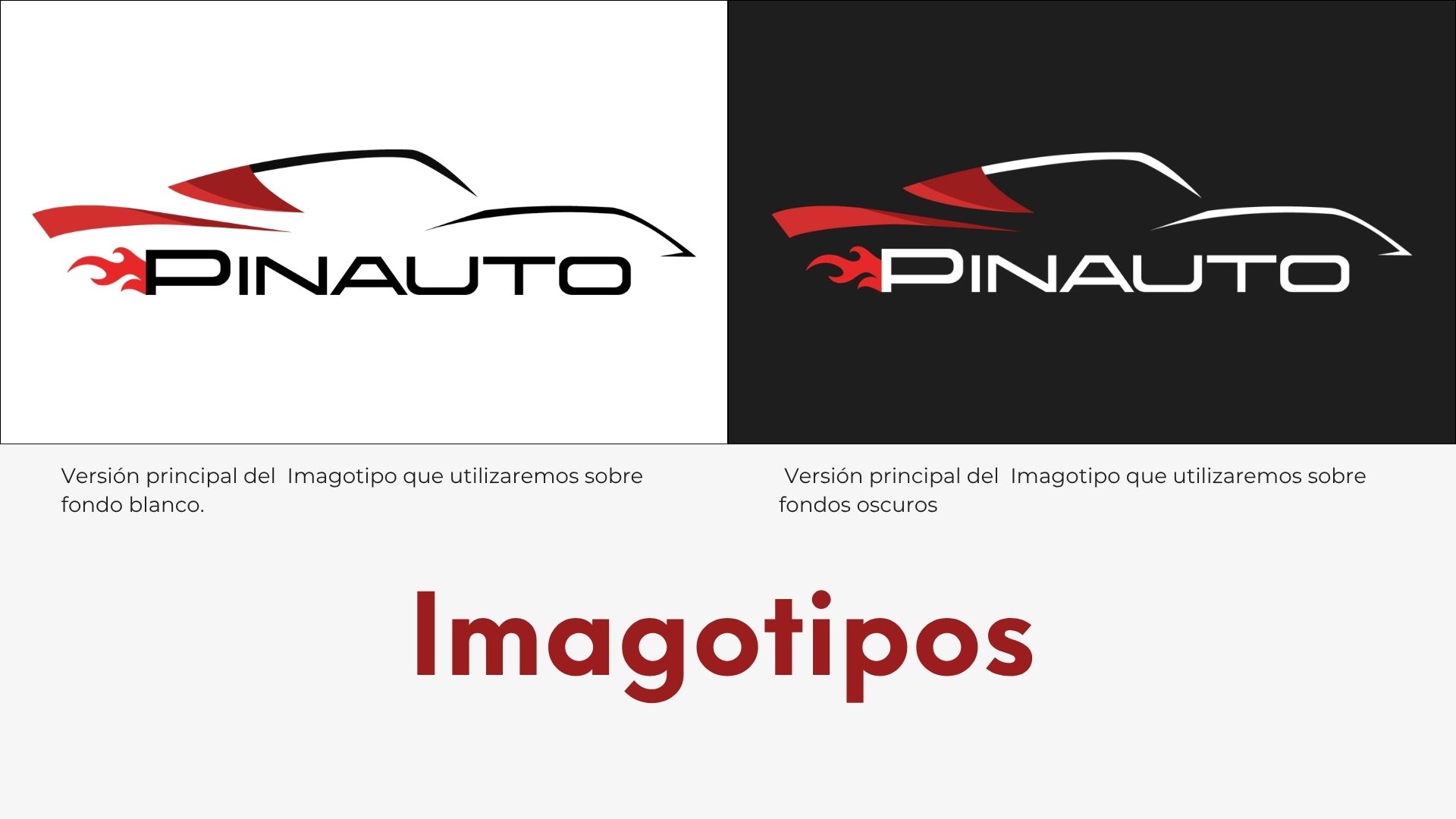
The logo draws the silhouette of a sports car with just a few lines, and a flame comes out of the P. It comes with the tagline «The new image in automotive paint». It has a main version for light and dark backgrounds, a monochrome version for one ink printing, stamps or embroidery, and a version with the tagline.
📌 Canva page 11: logos📌 Canva page 12: monochrome version📌 Canva page 13: variations📌 Canva page 14: logo with tagline
Monogram
For small spaces, like the social media profile or the corner of each post, the brand is reduced to the P with the flame, in positive, negative and cream.
📌 Canva page 15: monogram
04 · Visual system
Red, cream and black
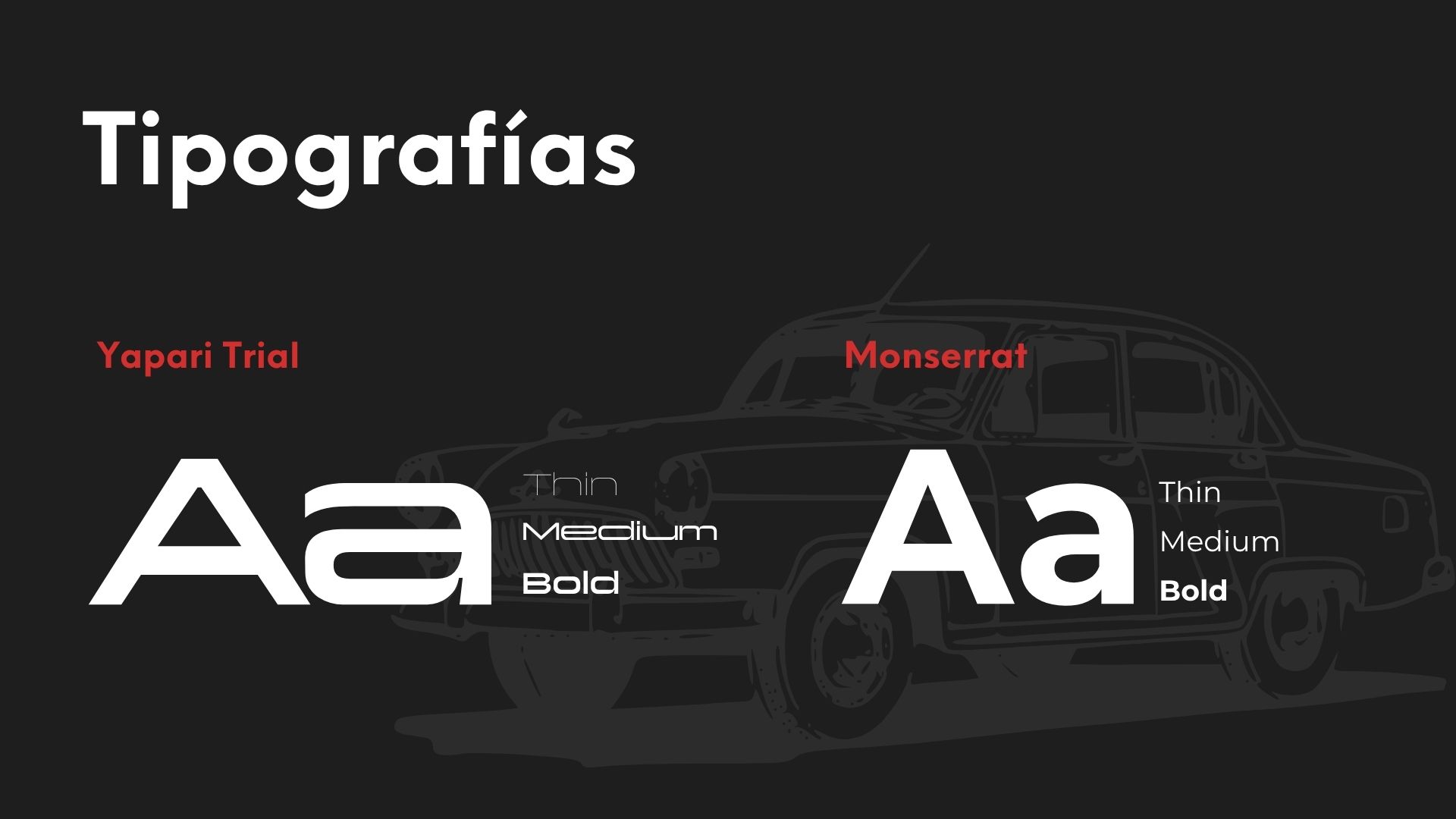
Two paint reds, a cream that softens and the black of the shop. For headlines and the logotype, Yapari, a wide, technical typeface. For body text and the tagline, Montserrat.
Brand manual · Pinauto
Deep red#9B1D1D
Bright red#D32F2F
Cream#F2EBDC
Black#010101
Headlines and logotypeYapariThin · Medium · Bold (real sample in the image below)
Body text and taglineMontserratThin · Medium · Bold
📌 Canva page 16: typefaces
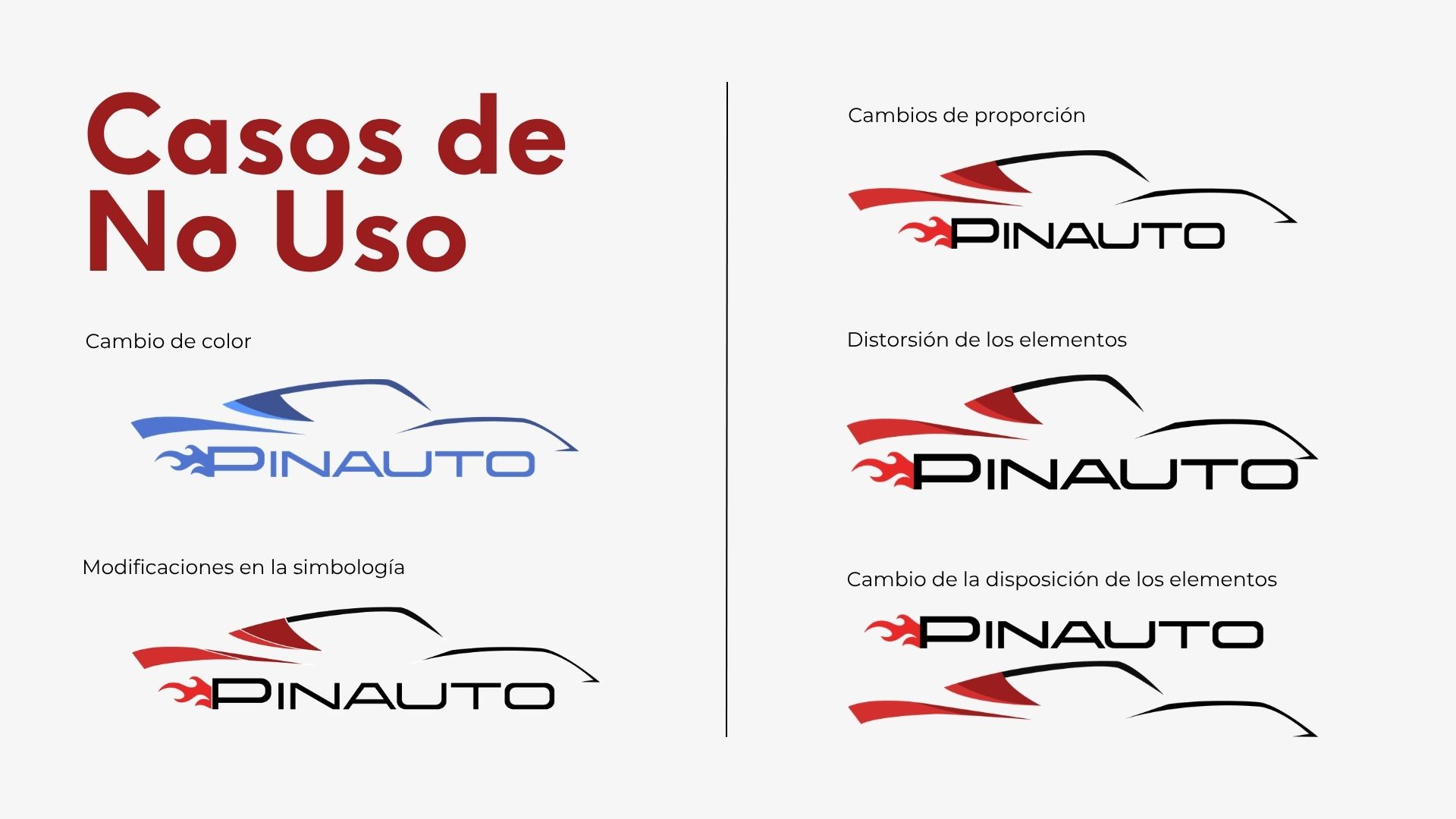
Misuse cases
The manual also shows what not to do with the logo, so the brand stays the same in every piece.
Changing the colorAltering the symbolsChanging the proportionsDistorting the elementsChanging the layout
📌 Canva page 18: misuse cases
05 · Applications
From business card to coveralls
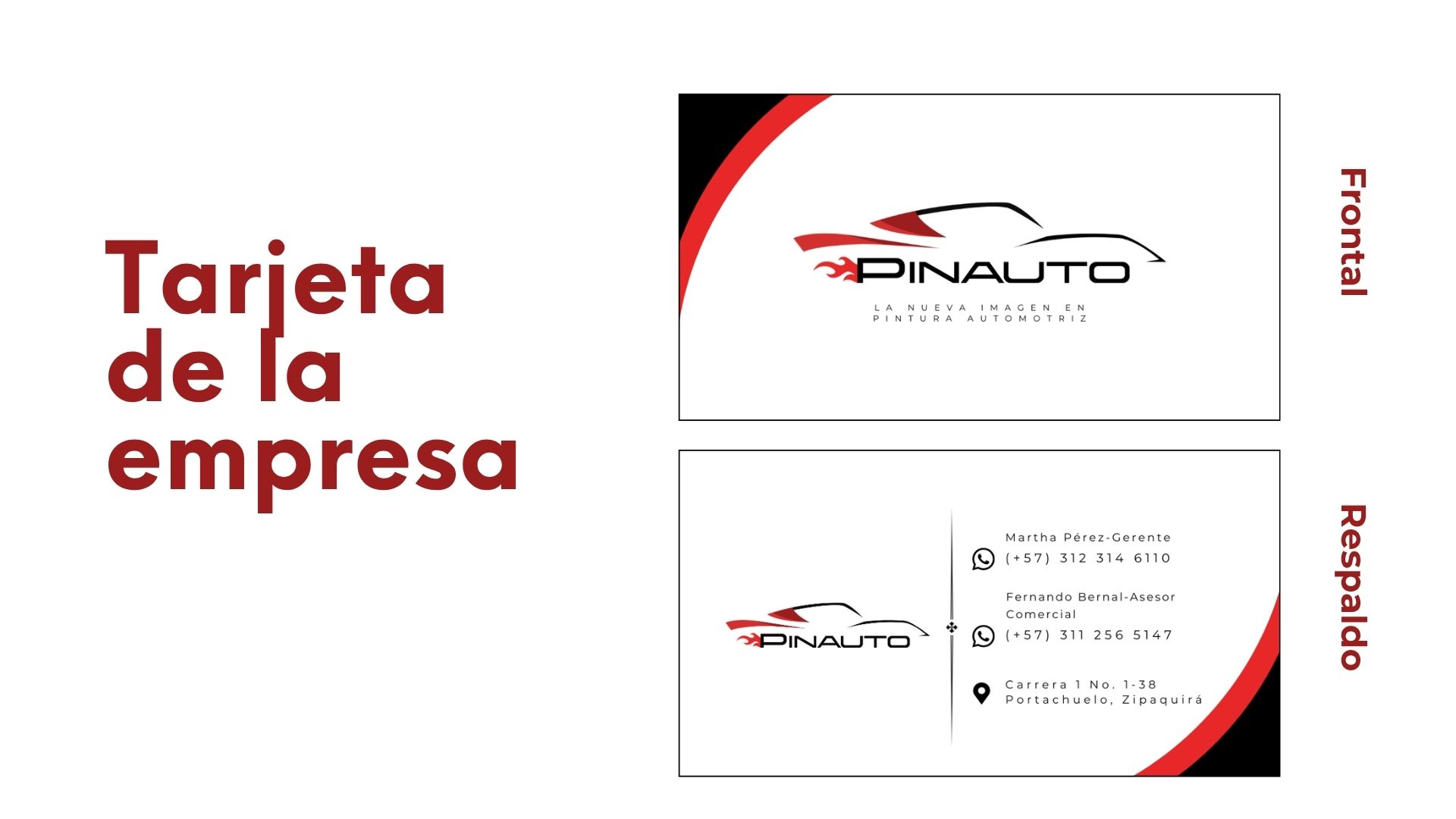
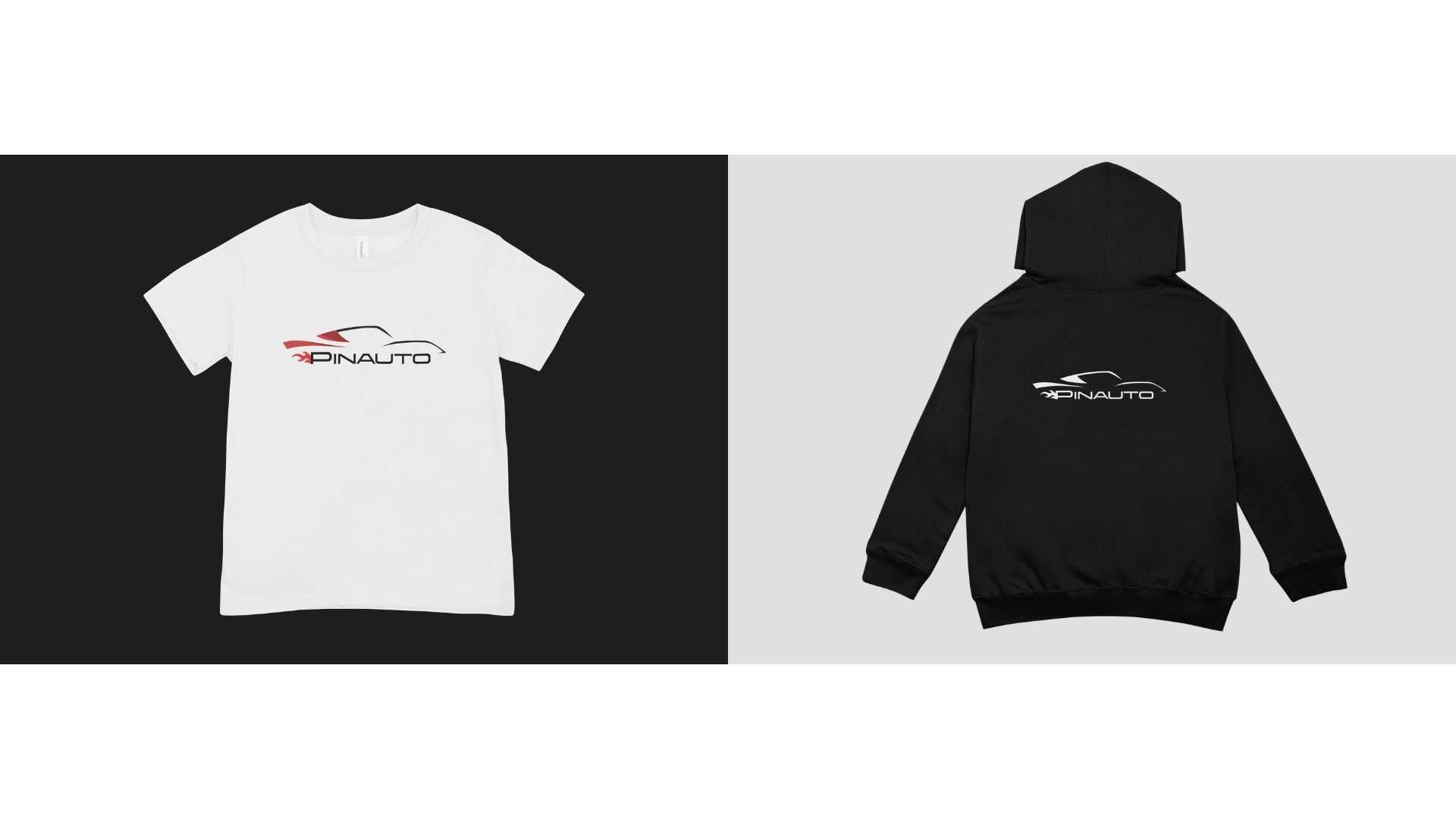
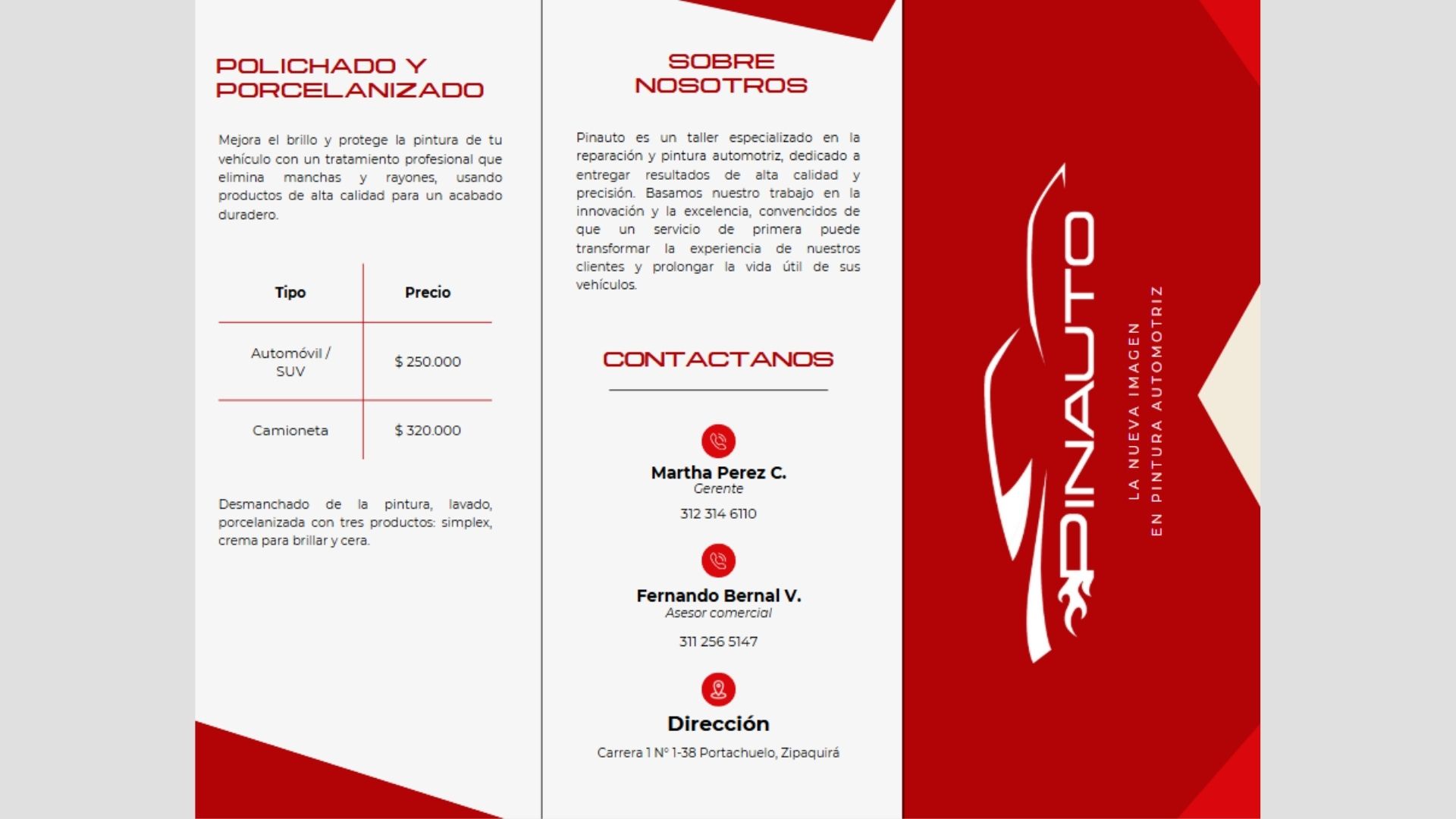
The brand moves into the stationery, the team's uniforms and the shop sign. The brochure brings the services together with their prices so customers know what to expect before they arrive.
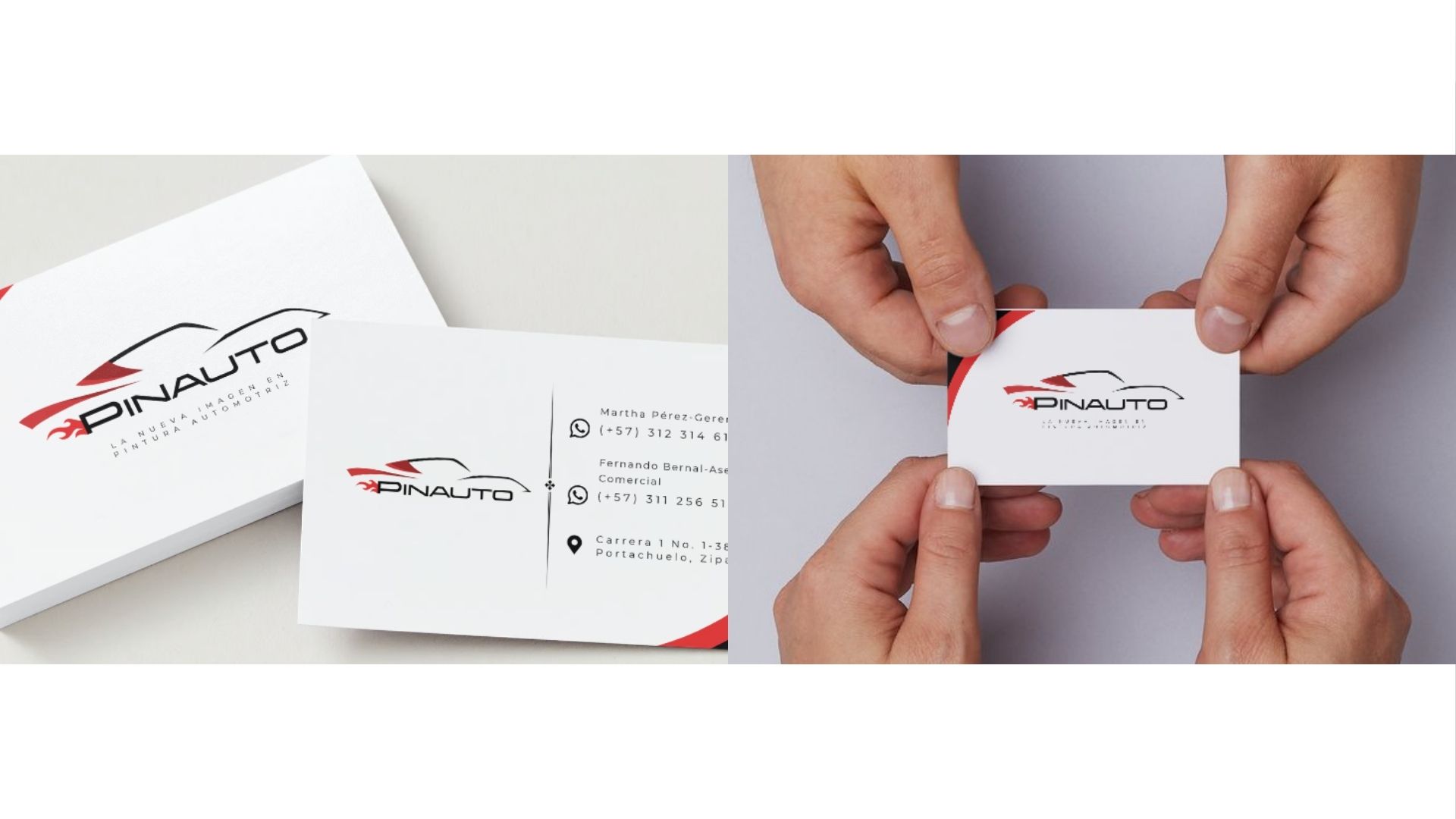
📌 Canva page 17: business card, front and back
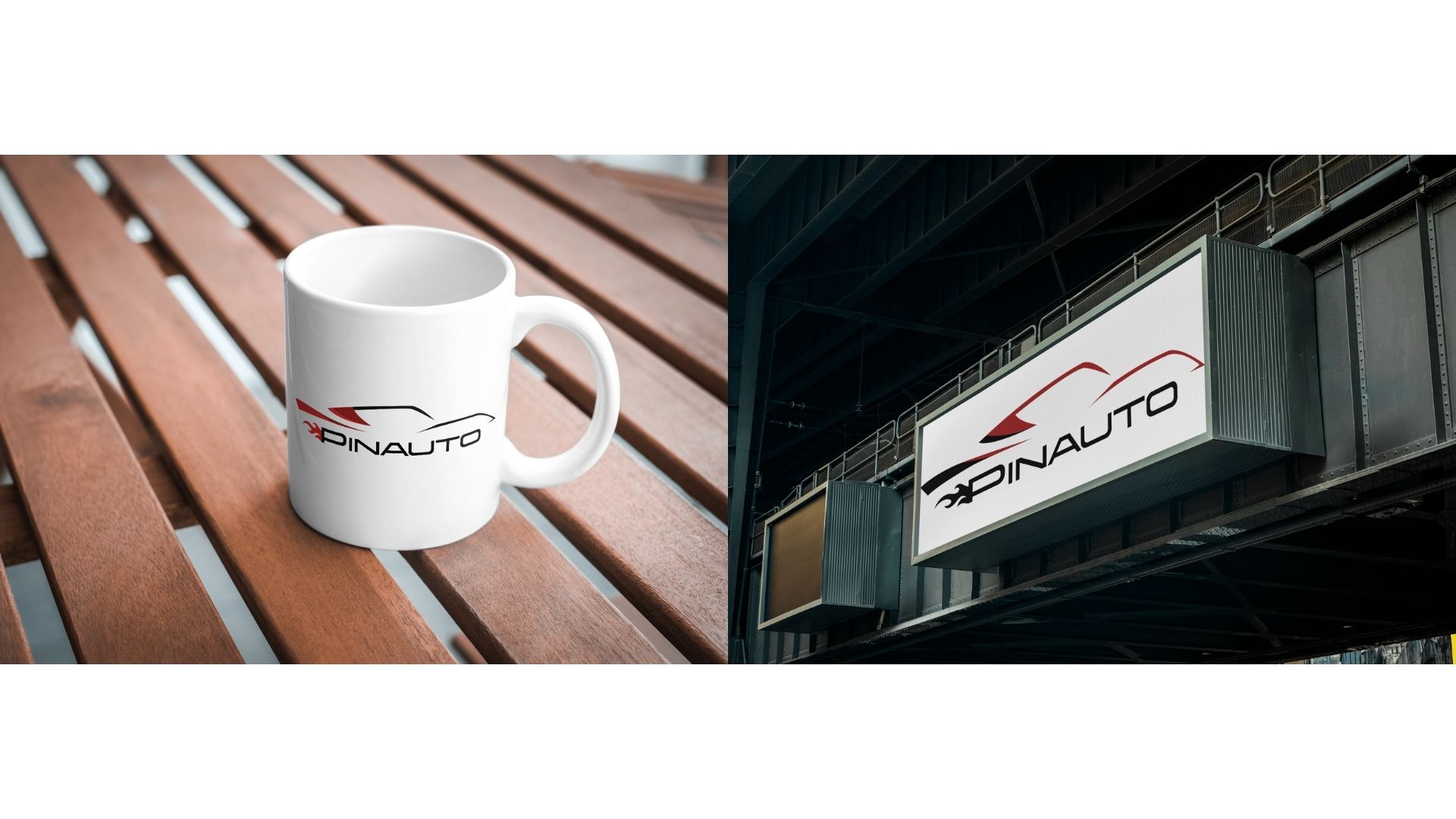
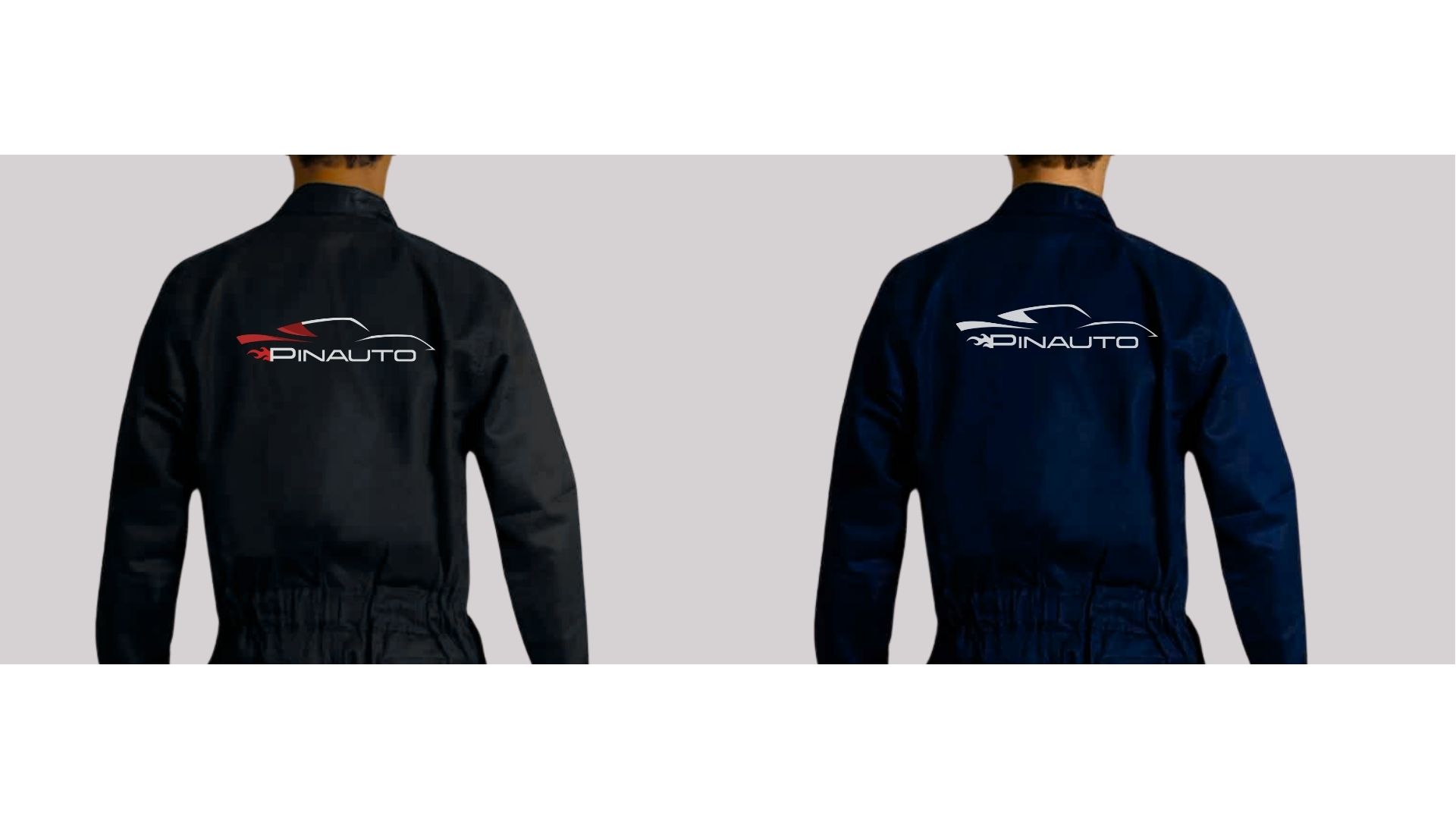
📌 Canva page 20: t shirt and sweatshirt📌 Canva page 21: mug and sign📌 Canva page 22: business card mockups📌 Canva page 23: coveralls
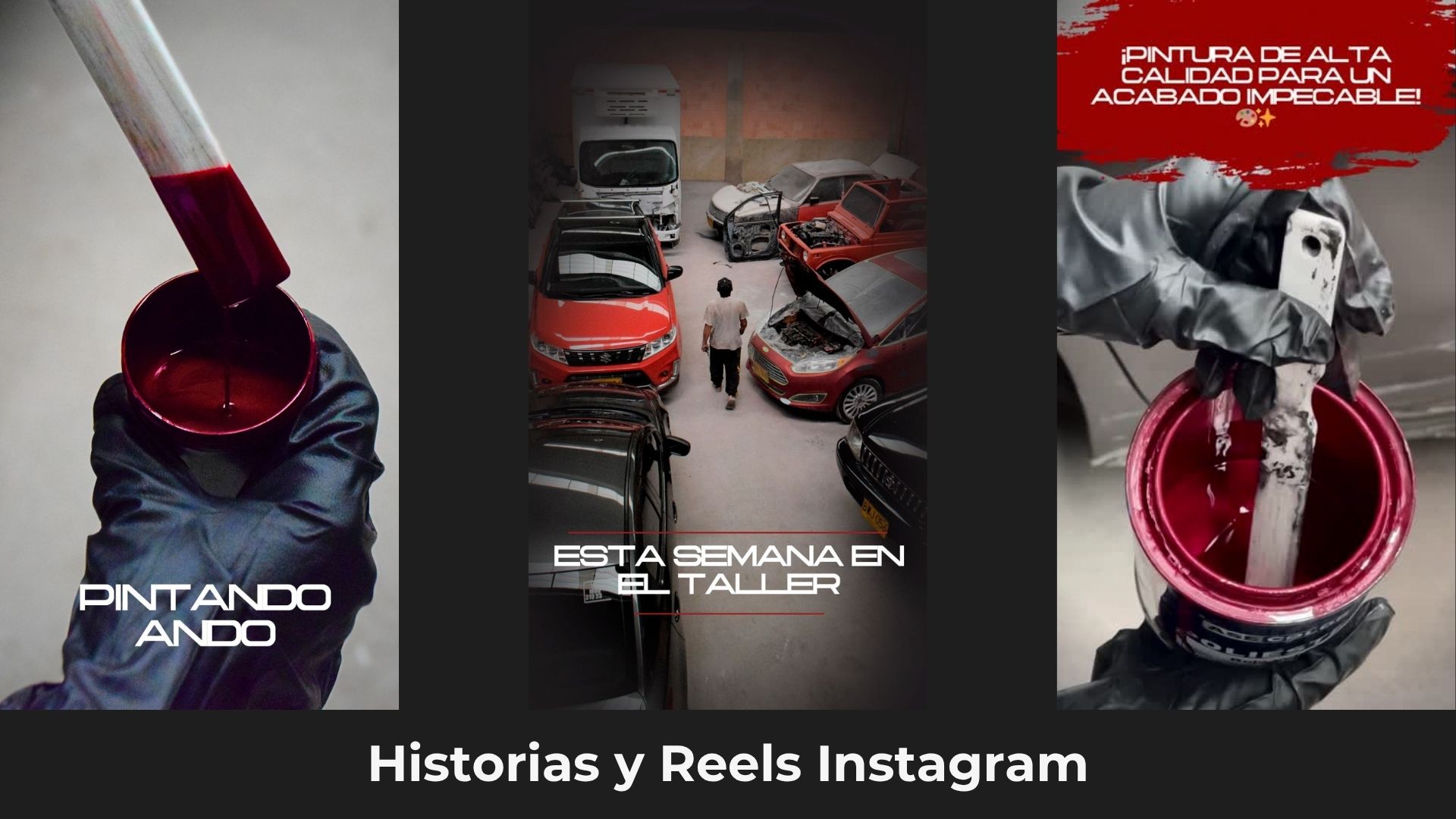
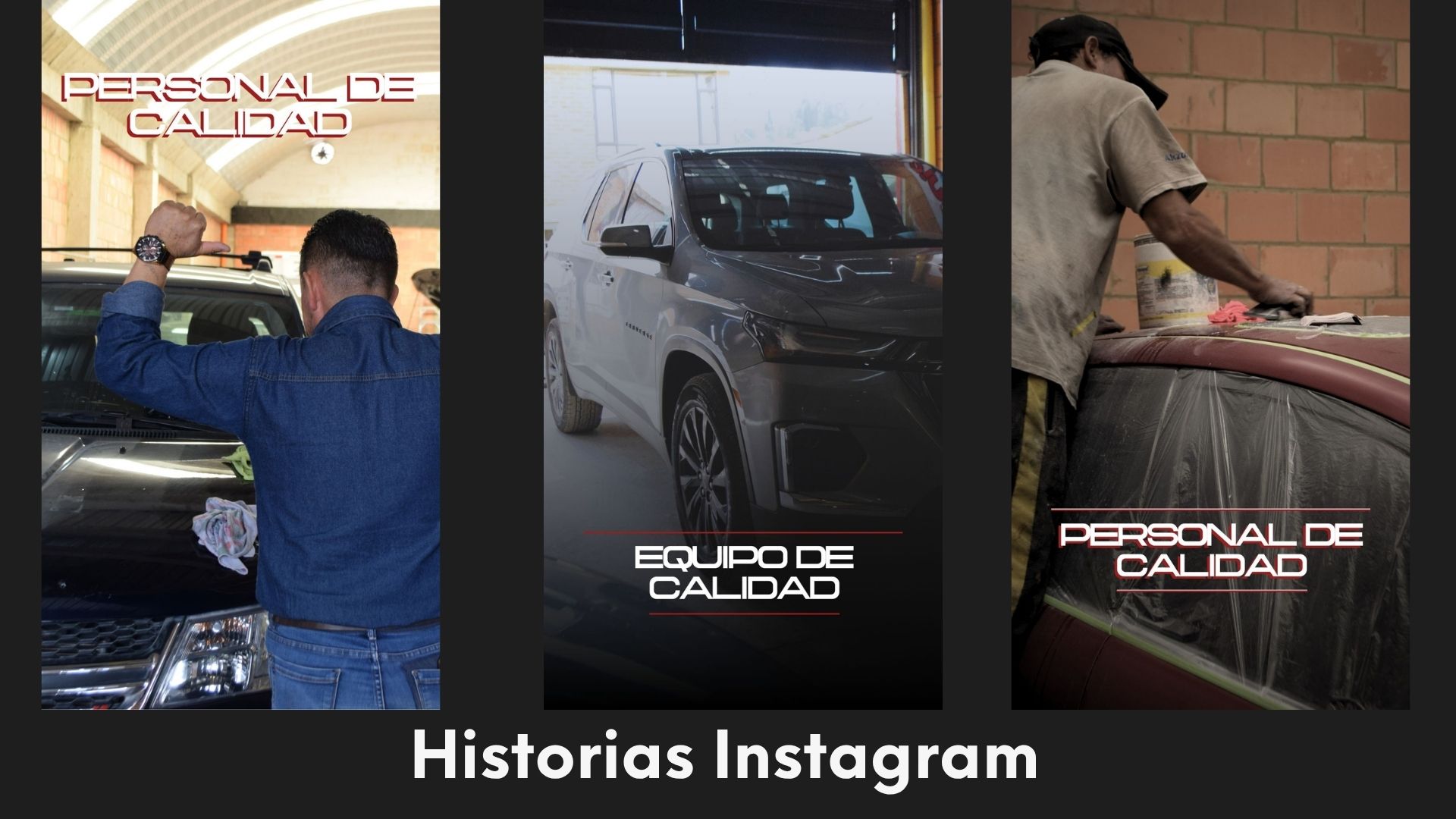
The posts use real photos of the shop in dark tones, the monogram in one corner and a short text explaining each service, like bodywork, polishing or ceramic coating. Tap a post to see it larger.
Stories and reels
In vertical format, short phrases over the photo: «Painting away», «This week at the shop», «Quality staff».
Case study · Personal project · Web design and development
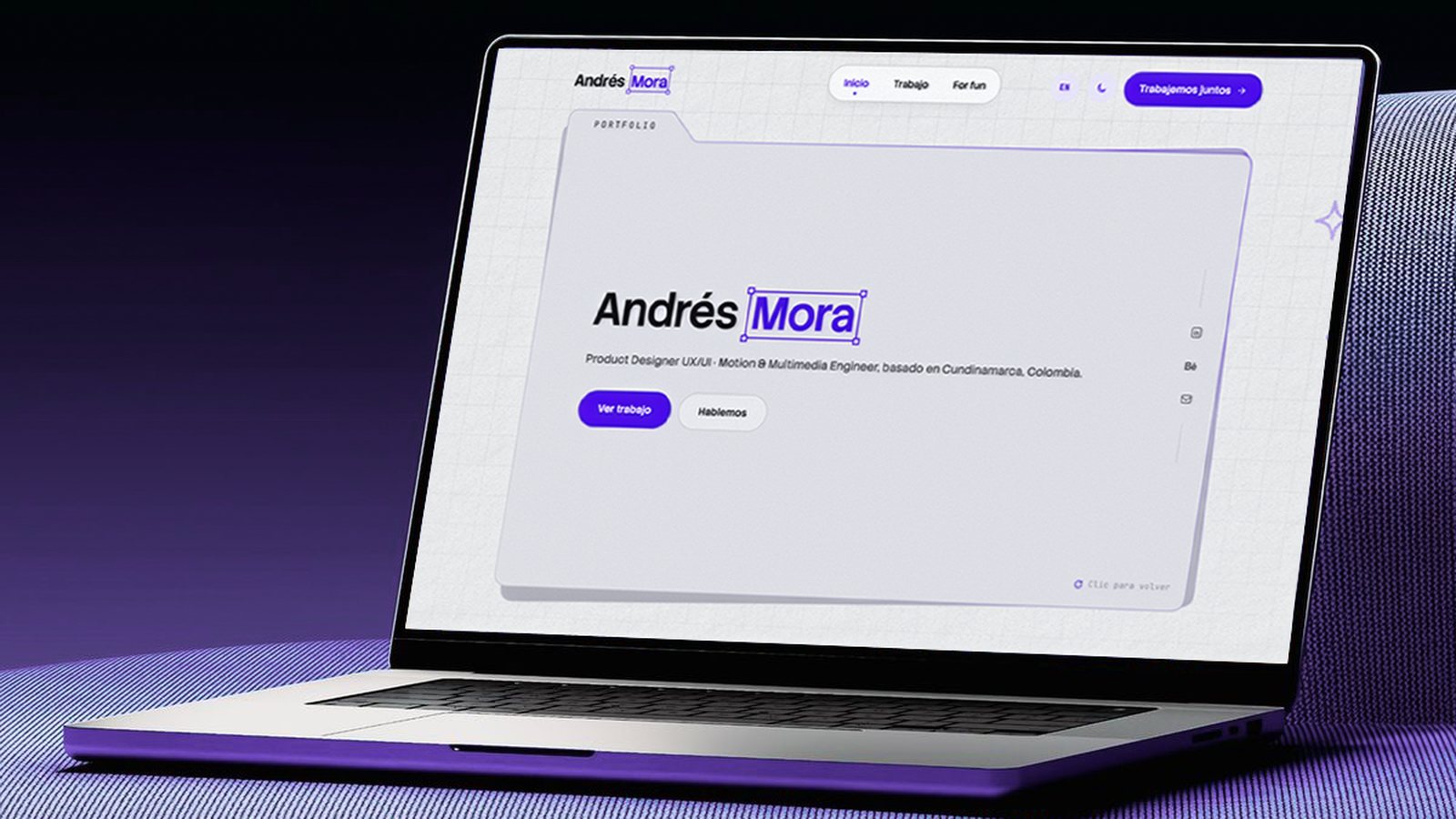
This portfolio: a site designed like a product
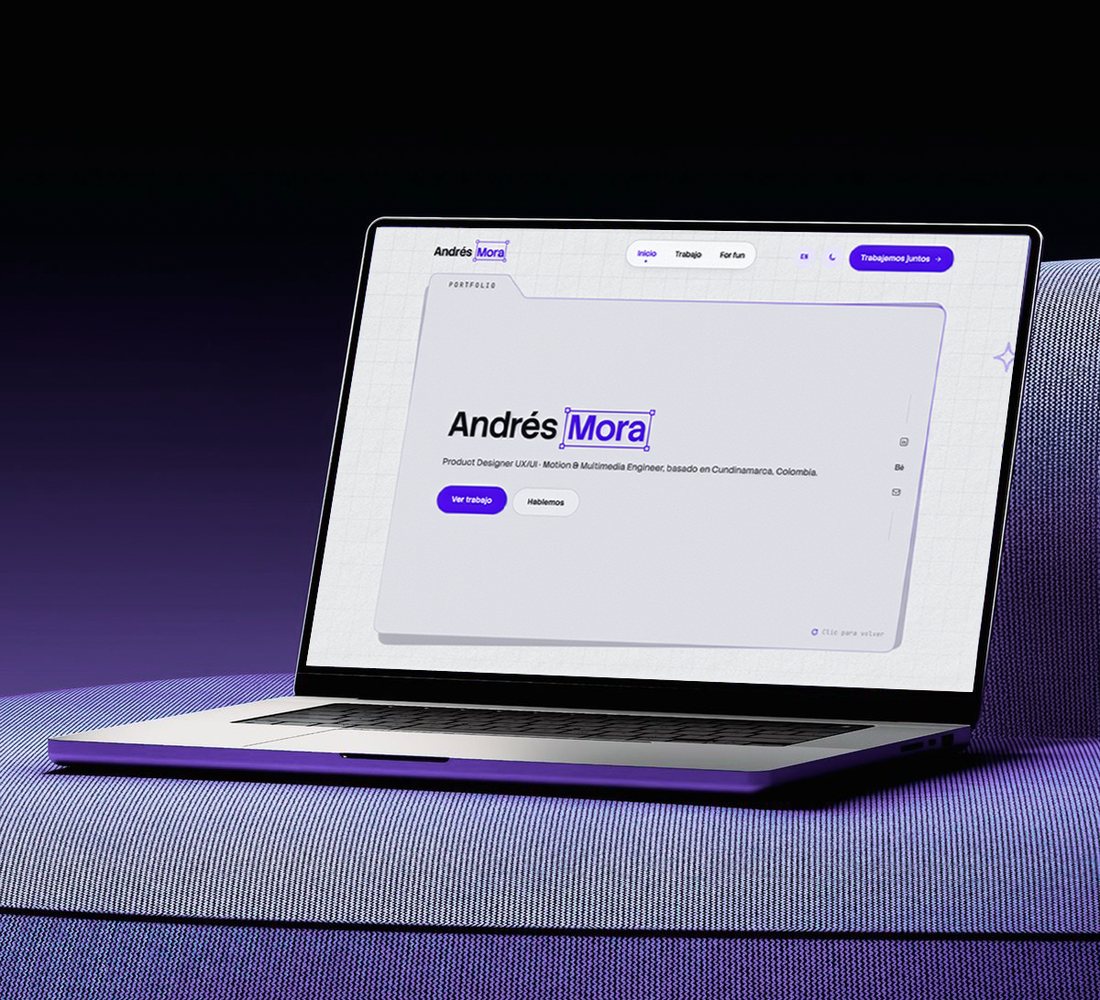
I designed my portfolio with the same process I use with a client: bring everything I do into one place, simplify the architecture, create my own design system and fill it with details that invite you to explore.
UX/UI · Web design · 2026
Overview
I designed this portfolio to express my creativity and bring my passions together in one place: product design, 3D, rendering, photography and everything I enjoy creating. It was also the perfect excuse to bring Mora, my personal brand, to life in an interactive site that invites you to discover me piece by piece, one side at a time.
Client
Personal project
My role
Product design, UX/UI and development
Year
2026
Tools
Figma, Astro, JavaScript and Claude
4main pages
9cases and collections
11microinteractions
2themes, light and dark
01 · Goals
What I wanted to achieve
The site was born with three ideas in mind, and every design decision was measured against them.
01Bring my passions together in one place
UX/UI, web design, 3D modeling, rendering, photography, motion and graphic design. Everything I do, told through the process and not just the final image.
02A site to discover
Interactive and full of personality, inviting people to play with it and discover my different sides: draw, drag, open a notebook, flip pages.
03Make myself known with my brand
Create the Mora brand and bring it to an easy to access site, with visible contact on every page, a short form and case studies that read quickly.
02 · Art direction
Office objects in a digital world
I always had the idea of bringing everyday things into the digital world, like what sits on a desk. That's the concept: office objects in a simpler, purer version. The portfolio lives in a folder, the For fun notebook is a notebook that opens, the form is a letter that goes into an envelope with a stamp and a seal, and the notes look like sticky notes held with tape.
Folder
The Home hero and the featured cards.
Notebook
The For fun notebook, with pages that turn in 3D.
Sticky notes and tape
The notes and the polaroid style photos.
Envelope and seal
The Contact form and the thank you page.
Crayon
The doodles and the grid you can draw on.
Postcard
The 404 page.
The texture
Two fixed layers run through the pages: a tiled noise grain, with dark dots in the light theme and light ones in the dark theme, and a paper with relief and soft fibers underneath everything. The purple gradients carry noise on top, like a risograph print.
Risograph
Grain
44 px grid
03 · Architecture
Fewer pages, fewer clicks
The first map had four pages: Home, Work, About me and Contact. Then For fun was added for personal projects and the site grew to five. In the end, About me merged into Home and four main pages remained. The goal was to cut clicks so the journey is faster, both for someone looking for a designer for their project and for recruiters.
4Initial plan
5With For fun
4Today
Main menu
Home
Featured projects
About me
What I do
How I work
What I work with
Work
UX/UI and web design
Branding and video
3D
Case studies in a popup
For fun
Photography
3D renders
Personal projects
Contact
Thanks
01
About me inside Home
Home already introduced who I am; a separate page forced one more click for the same thing. The résumé went too: the work speaks for itself.
02
Case studies in a popup
They're read without leaving Work, and you move on to the next one without going back. From the footer, each project opens its case directly.
03
From four filters to three
UX/UI and web design, Branding and video, and 3D. You choose one category at a time.
04
Contact without extra steps
No calendar and a short form: the three step version with timeline and budget asked too much for a first message.
04 · Sections
What's on each page
Home
Everything in one journey:
Hero
Featured projects
About me
What I do
How I work
What I work with
Contact
Work
All the projects in a grid with filters. Each card opens its case study in a popup with a sidebar by section.
For fun
A digital notebook with hobby photography, 3D renders and personal projects.
Contact
A short form inside an envelope, the email to copy and social links. When sent, it leads to the thank you page.
05 · The Mora brand
Mora, inside a bounding box
The brand comes from the craft: the surname appears inside a bounding box with its four handles, the frame any design program shows when something is selected. It's the gesture of focus: what the designer chooses to work on. It repeats in the logo, in the name on the hero and in the site's icon.
Andrés Mora
Icon and faviconMCOLEnvelope stampMMailing sealmoraHalftone footer
A color with a surname
One of the goals of the personal brand was to have a color of my own. Since my surname is Mora (Spanish for blackberry), I chose purple as the signature color: it connects the brand with my name and with who I am, and makes the site recognizable at first sight.
The voice is part of the brand too: short texts, in first person and without unnecessary jargon. “Beyond the ordinary” sums up the promise.
06 · Design System
A small system, applied everywhere
The first version of the system was dark, with an electric purple and Space Grotesk with Inter. It was dropped for looking too gamer. The second, the current one, starts from cool neutrals and saves purple only for what matters.
Color · a single accent
Purple#490FE5 · Base accent
Deep purple#33099E · Hover in light theme
Bright purple#8B6CFF · Accent in dark theme
Tint#F0ECFE · Soft backgrounds
Cool neutrals
Light background#F8F8F8
Surface#FFFFFF
Light folder#E7E7EC
Dark folder#111116
Dark background#0A0A0D
Typography
Stack Sans Headline · headings
Digital product design
Stack Sans Text · body
Every project tells the process, not just the result.
Two themes Light by default and dark with the moon button. In dark mode the background is almost black (#0A0A0D) and the accent switches to bright purple.
07 · Motion
Three speeds and one curve
All the motion on the site uses three fixed durations and a curve that starts fast and slows down gently. Tap each row to see the difference.
Ease out curve · .16 · 1 · .3 · 1
The element arrives almost immediately and settles slowly. It feels responsive without looking abrupt.
Rules
It respects “reduce motion”. If the person asked for it in their system, the custom cursor, the click ripple, the tilt, the magnetism and the entrances turn off; animated things stay still.
Mouse only. The crayon, the magnetism and the tilt don't activate on touch screens.
Only once. Scroll entrances don't repeat when you scroll back up.
It pauses off screen. The halftone footer and long animations don't drain battery when they're not visible.
08 · Microinteractions
Small details that invite you to explore
Every interaction has a reason: to show what I can do with motion and code without getting in the way of reading the case studies. These clips were recorded from the real site.
01Cursor and click
A purple arrow with a ring that grows over anything you can touch and shrinks when you press; every click leaves a purple ripple that opens and fades.
The whole site · mouse only
02Magnetic buttons
The button moves toward the cursor and the text follows a little less; on hover, a fill sweeps it from side to side.
Pill buttons
03Cards that follow the cursor
They tilt in 3D toward the mouse, with a shine that moves on top and the image switching layers.
Work
04Featured projects
The cover goes from faded to full color, a line of description peeks out, the arrow turns and the folder tilts with the cursor.
Home
05The two folders
A click on the hero folder swaps “Focus” for “Portfolio” and another click goes back. The one behind tilts a bit more and the purple edge reflects the cursor.
Home hero
06Crayon on the grid
Clicking and holding lets you draw on the grid with a grainy purple crayon; two seconds after you let go, it erases itself. Around it, doodles that draw themselves invite you to try it.
Home · mouse only
07Text that lights up
The “What I do” sentence goes from gray to the text color word by word as you scroll.
Home
08Intro curtain
“Hey, I'm Andrés” and an Enter button. The cursor turns into a circle that covers the screen and leaves through the top.
Home · once per visit
093D notebook
A purple covered notebook that opens and turns pages on its spine, with polaroid style photos, tape and stickers you can drag.
For fun
10The envelope
When the form is sent, the sheet slides into the envelope, the flap closes, a seal with the M drops and the envelope flies away.
Contact
11Mora in halftone
The word “mora” in the footer is made of dots that spring away from the cursor; a click sends out a wave.
Footer
09 · Navigation
Intuitive navigation on any screen
The navigation decisions start from responsive design: the same menu works on desktop and mobile, always visible and always at hand, so moving around the site is easy from the first click.
Desktop · magnetic hover and bottom pillMobile
01
The menu always at hand
When the top pill leaves the screen, an identical one appears at the bottom. You don't have to go back to the top of the page to change sections.
02
Within thumb's reach
On mobile the bottom pill sits where your finger reaches, with “Let's work together” turned into an arrow so everything fits.
03
Nothing hidden
No hamburger menu: the three links show at every size, so on mobile you save a tap.
04
Knowing where you are
A purple dot marks the current page and on hover only the text moves. In the case studies, the sidebar shows the section you're reading and the footer goes straight to each project.
10 · Design iterations
Design iterations
The Home page went through three versions before the current one. Each iteration left something that stayed and something that was dropped.
Version 1Dark and in English
A dark purple background, a 3D wolf behind and “Multimedia engineer” in big letters. It was dropped for looking gamer and drifting away from product design.
Version 2Light rays
The current headline over a full screen hero with WebGL light rays that followed the mouse. From the v2 system, the color, the typography and the tone stayed.
Version 3The folder sketch
My sketch turned the hero into a folder with a tab, the word “Portfolio” and the navigation resting on a notch. First it was a fixed frame; then it was let loose.
TodayTwo folders and a grid to draw on
Two folders stacked on top of each other that take turns with a click, a 44 px grid you can draw on with a crayon and the header with the pill.
Plus Iterations on iterations: For fun
First it was a “darkroom” with pieces hanging on a clothesline and the cursor as a flashlight. Before arriving at the notebook, a film reel and a 3D spiral were tried.
11 · Learnings
What this project leaves me
01Iterate faster
Going from a design to a working prototype in a short time, generating code and design at once. Every idea was tested in a real browser before deciding whether it stayed.
02Learn to simplify
It's easy to add features that aren't what the user needs. The site got better every time something was removed: a page, a filter, form steps, the résumé.
03Design with character
Many microinteractions don't catch your eye at first, but when the site invites you to play, people draw on the grid, move the cards, open the notebook or send a letter. That's where the personality is.
What's next
New projectsKeep growing the portfolio with the upcoming case studies, told with the same depth.
A content manager of my ownBuild an internal management system, a CMS, to upload and edit projects without touching the code.
In one sentence
This portfolio brings together everything I do and invites you to discover my way of designing and seeing the world.
Collection · 3D modeling
From heritage to the scene: 3D modeling
Colombian architecture, archaeology and folklore, plus environments and props, modeled and textured in Maya and Substance Painter. Rotate, zoom and explore each model right here.
Autodesk MayaSubstance PainterSketchfab2023 to 2025
01 · Colombian heritage and culture
Digitizing who we are
Models that bring Colombian objects, places and legends into 3D, so they can be explored from any screen.
University project
Pacho, Cundinamarca · 2024
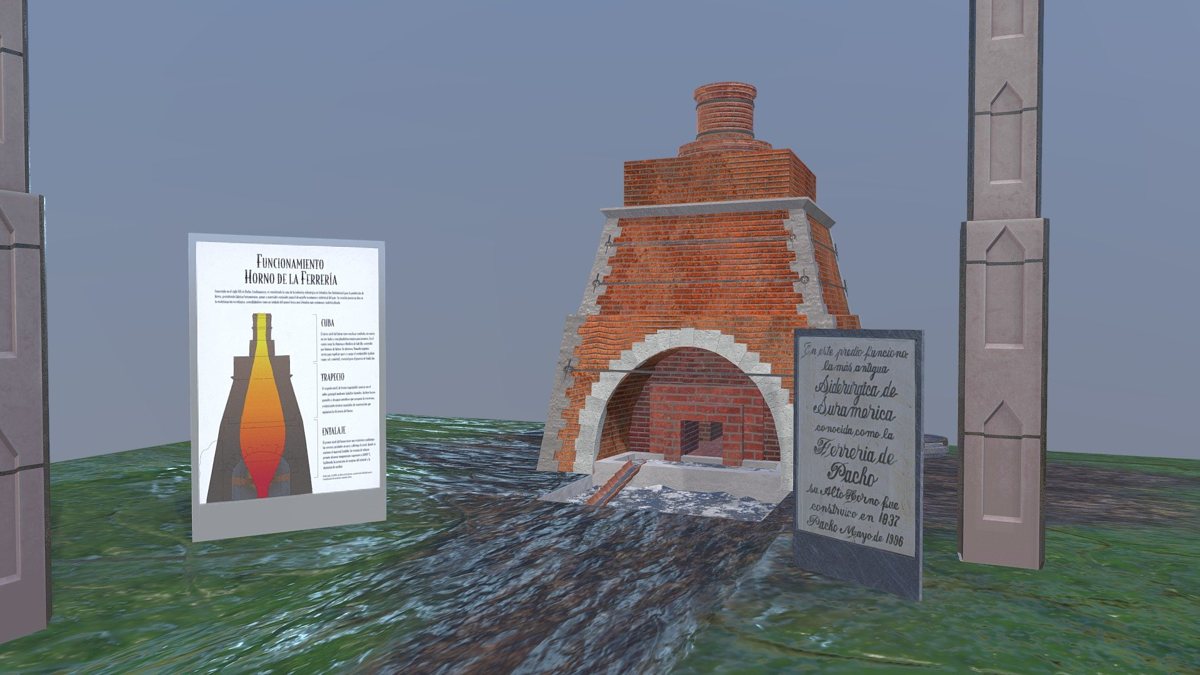
La Ferrería Furnace
The cradle of the steel industry in Colombia: a 9 meter blast furnace from the 19th century that produced iron for weapons, tools and industry until 1888. Today it's a historic and cultural site.
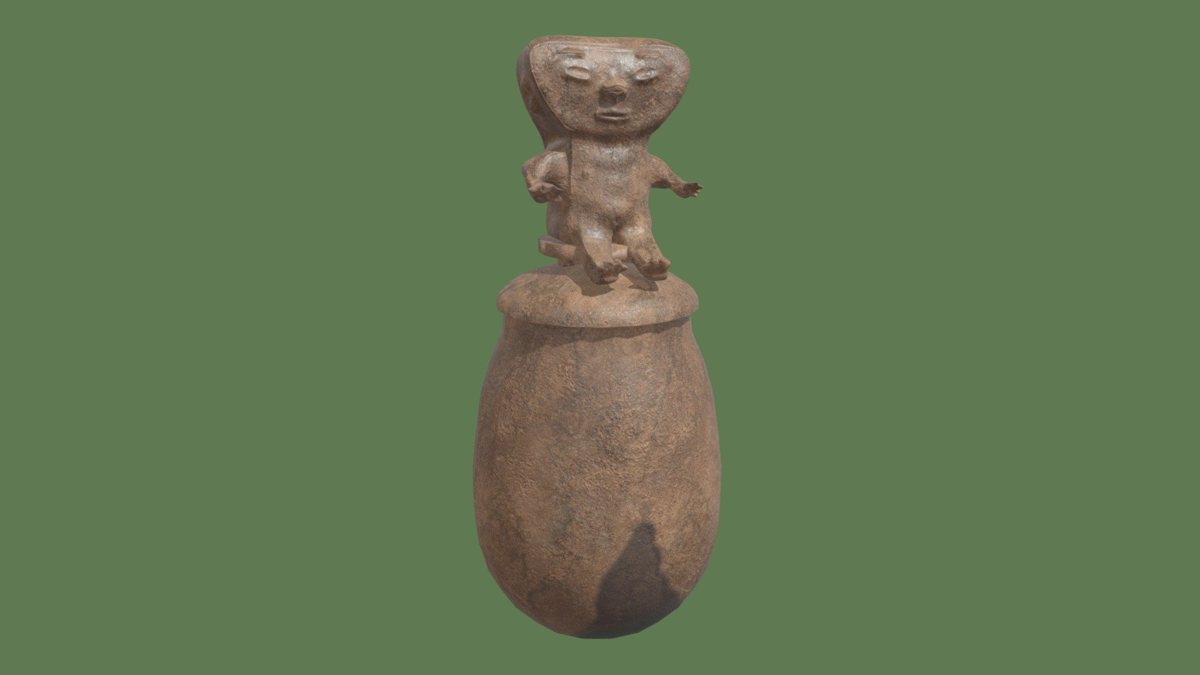
An urn used in the ritual practice of secondary burials, characteristic of the region from San Agustín and Tierradentro to Tamalameque. Textured in Substance Painter.